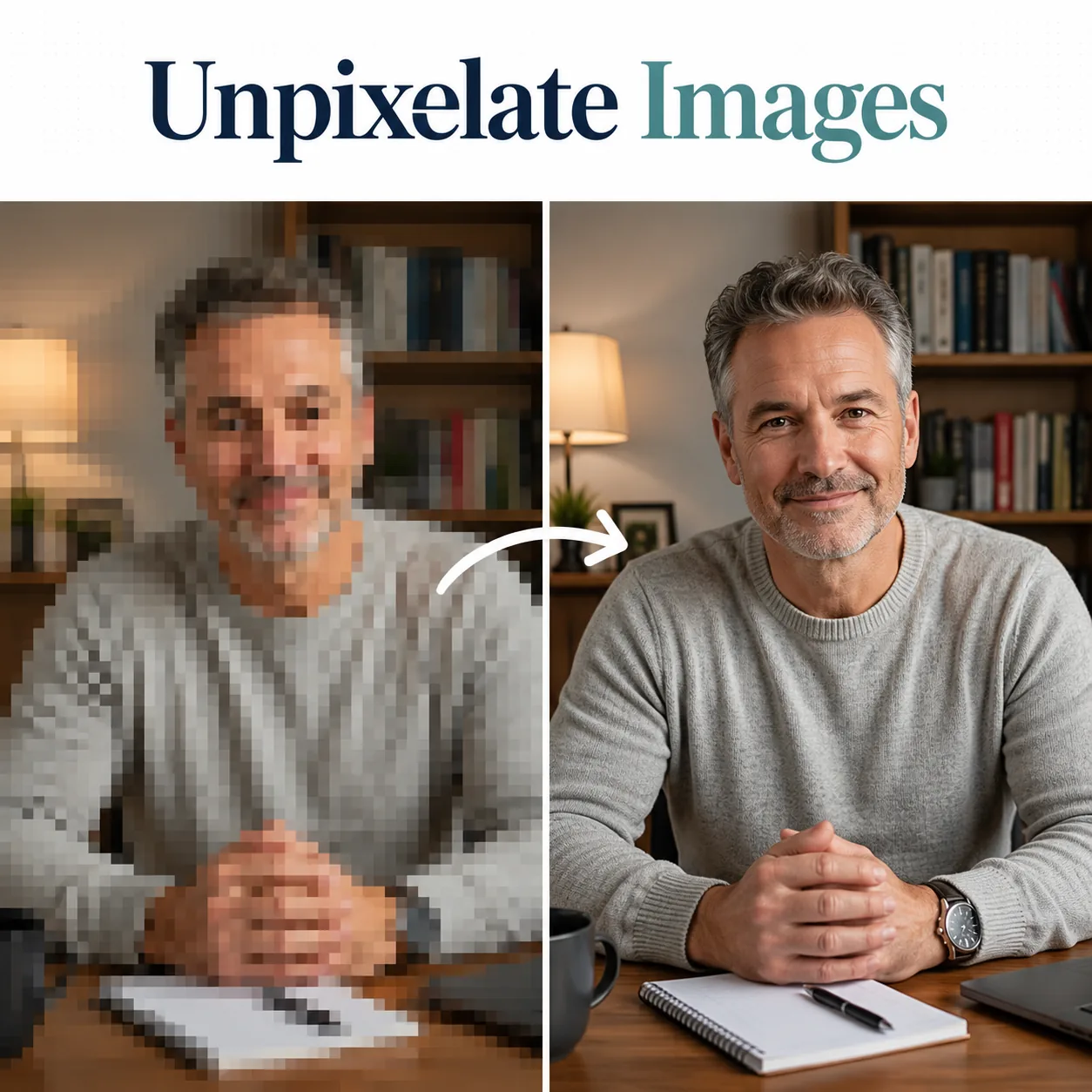
Upload any portrait and let our AI blemish remover erase acne breakouts, post-inflammatory marks, dark spots, and surface imperfections — while preserving your natural skin tone and texture.
Removing blemishes from portrait photos typically requires 15-30 minutes of manual spot healing in Photoshop per image — selecting each imperfection individually, sampling nearby clean skin, and blending the patch until it disappears. Our AI blemish remover automates this entire process through a single upload. Powered by GPT Image 2 and Nano Banana 2, this blemish remover AI identifies acne spots, post-acne scarring, hyperpigmentation marks, dark circles under the eyes, enlarged pores, and surface imperfections across the entire face simultaneously. The AI blemish remover then reconstructs each affected area using the surrounding clean skin texture as reference, maintaining natural pore patterns, skin tone gradients, and shadow contours. Each conversion costs just 3-5 credits and processes in under 30 seconds. Unlike basic beauty filters that blur the entire face uniformly, this blemish remover AI distinguishes between imperfections and intentional features — freckles, beauty marks, and natural pigmentation patterns stay intact while only blemishes are cleared. Beauty brands, dermatology clinics, content creators, and individuals preparing profile photos use this AI blemish remover to produce clear-skin portraits that look naturally flawless rather than digitally airbrushed. The tool runs entirely in your browser with no software installation or design skills required.
Upload 1-16 reference images to guide the generation
Follow these three simple steps to create professional AI Blemish Remover images — upload your photo, choose an AI image model, and download the finished result in HD quality.
Upload Your Portrait Photo
Follow this step directly in the editor above to create your result.
Start by uploading the portrait containing the blemishes you want to clear. The AI blemish remover accepts JPG and PNG files up to 30 MB. For optimal results, choose photos where the face is clearly visible with reasonable lighting — the blemish remover AI needs to distinguish between blemishes and natural skin features like freckles and moles. Both close-up selfies and standard portrait-distance shots work well. Higher resolution source images give the AI blemish remover more texture data to work with, producing smoother reconstructions where imperfections are removed. Upload by dragging your file into the editor or browsing your device. You can also preview example transformations in our template gallery before uploading your own photo.
Discover what makes the AI Blemish Remover AI image effect stand out — from intelligent style transfer and one-click templates to 4K output and fast generation.
Skin imperfections are not uniform — acne pustules are raised and red, post-inflammatory marks are flat and dark, pitted scars are depressed and shadow-casting, and enlarged pores are textural without color change. Our AI blemish remover classifies each imperfection by type and applies the appropriate reconstruction strategy. Active acne spots are replaced with surrounding skin texture while neutralizing the redness. Dark spots from hyperpigmentation are color-corrected to match the natural surrounding skin tone. Shallow scarring is filled with reconstructed texture that follows the skin's natural pore pattern. The blemish remover AI processes all these types simultaneously in a single pass, saving the hours that manual retouching requires to address each category with different Photoshop tools and techniques.
One of the biggest risks in blemish removal is accidentally erasing the natural features that give a face its character. Cheap beauty filter apps blur everything indiscriminately — freckles, moles, beauty marks, and subtle skin variations all disappear along with the blemishes. Our AI blemish remover distinguishes between unwanted imperfections and intentional features by analyzing their characteristics: blemishes tend to be isolated, irregularly shaped, and differ sharply from surrounding skin in color or texture. Freckles follow consistent distribution patterns, beauty marks have defined edges, and natural pigmentation variations are gradual. The blemish remover AI retains these characteristic features while targeting only the anomalies that read as imperfections in the photograph.
Dark circles under the eyes and general facial redness are among the most requested corrections in portrait retouching. Our AI blemish remover addresses these conditions specifically. Under-eye discoloration — whether bluish-purple vascular shadows or brownish pigmentation — is lightened to match the surrounding cheek tone while preserving the natural contour of the tear trough. Facial redness from rosacea, broken capillaries, or irritation is neutralized without flattening the skin's dimensional quality. The blemish remover AI calibrates the correction intensity to the severity of the discoloration — heavy dark circles receive more lightening than subtle shadows, and concentrated redness patches receive more correction than diffuse flush.
A multi-model AI platform with one-click AI Blemish Remover templates, fast generation, and high-resolution output — built for creators who value speed and quality.
Manual blemish removal in Photoshop requires selecting each imperfection with the spot healing brush, adjusting brush size to match the blemish, sampling clean skin areas, and checking that each patch blends seamlessly — a process that takes 15-30 minutes per portrait for someone with professional retouching skills. Our AI blemish remover processes every blemish on the face simultaneously in 30 seconds. No brush tools, no sampling points, no blend-mode adjustments. Beauty editors, social media managers, content studios, and individual users all get professional retouching results through a browser interface that requires zero Photoshop experience.
Traditional blemish removal tools and beauty filters are notoriously unreliable across diverse skin tones — they over-smooth darker skin or miss blemishes on lighter skin where color contrast is minimal. Our AI blemish remover is trained on diverse facial data and calibrates its detection to each photo's specific skin tone, lighting condition, and blemish presentation. The blemish remover AI processes a portrait with deep skin tones and hyperpigmentation marks with the same precision it applies to lighter skin with redness-based blemishes. This consistency is essential for beauty brands, inclusive content campaigns, and any professional setting where retouching quality cannot vary by subject.
Quick AI utilities to enhance, generate, or transform your media — one click away.
Compare AI image generators — each with unique styles, quality levels, and creative capabilities for your projects.
When the AI blemish remover clears an acne cluster or scar patch, the resulting area needs reconstructed texture that seamlessly blends with surrounding skin. Simple in-painting tools often leave smooth, pore-free patches that are immediately detectable as edited. Our blemish remover AI analyzes the pore density, grain direction, and surface variation of the nearby clean skin, then generates matching texture to fill the cleared area. The reconstructed zones are indistinguishable from the natural skin surface — no smooth patches, no texture discontinuities, no visible editing boundaries. This texture-aware reconstruction is what separates AI-powered blemish removal from basic clone-stamp approaches.
Most online blemish removal tools operate on simple color thresholding — they identify pixels darker or redder than a baseline and blur them. This approach fails on darker skin tones where blemishes have less color contrast, and over-corrects on lighter skin where natural flush gets mistaken for blemishes. Our AI blemish remover uses GPT Image 2, which understands skin semantically — it knows what healthy skin looks like across all tones and what constitutes an imperfection versus a natural feature. The blemish remover AI produces accurate results on every Fitzpatrick skin type without bias or over-processing, treating hyperpigmentation on deeper skin tones with the same precision it applies to redness on lighter complexions. Each conversion processes in under 30 seconds and accepts input files up to 30 MB in JPG or PNG format. Nano Banana 2 is also available as an alternative model for users who want even faster processing at competitive quality levels, with both models supporting resolutions up to 4K. All models are included in every GenMix plan with no per-model surcharges.
Skincare brands need before-and-after imagery where the 'after' photo shows realistic clear skin — not obviously filtered skin. Our AI blemish remover produces the exact aesthetic these campaigns require: blemishes cleared, natural skin texture preserved, lighting and tone unchanged. Dermatology clinics creating patient education materials use the blemish remover AI to visualize treatment outcomes for patients considering acne treatments or chemical peels. Beauty influencers use it to create 'skin care routine results' content that looks authentic rather than filtered. Each conversion costs 3-5 credits with no watermarks on output and full commercial usage rights included with every GenMix plan. One-time Credit Packs are available for brands running seasonal campaigns without ongoing subscription needs.
Our AI blemish remover runs entirely in the browser on any device. No Photoshop license, no Lightroom subscription, no plugin installations, no GPU requirements. Upload a photo from your phone, tablet, or laptop, select the blemish removal effect, and download the result. The blemish remover AI processes images on cloud infrastructure, so your device hardware does not affect output quality or speed. GenMix offers a credit-based system with subscription plans starting from $10/month and one-time Credit Packs for occasional users. New users receive free credits upon signup to evaluate the AI blemish remover on their actual photos.
Get answers to common questions about creating AI Blemish Remover images with AI, including supported models, generation speed, photo requirements, pricing, and usage rights.
Discover how creators, marketers, and businesses use the AI Blemish Remover AI image effect for social media, branding, e-commerce, and personal projects.
Transform your photos into unique AI Blemish Remover images for Instagram, TikTok, X (Twitter), and Discord profiles. AI-generated image effects create memorable visual content that stands out in crowded social feeds — likes, comments, and shares all increase when you post creative, eye-catching imagery. Create multiple variations from a single photo and use the best version as your profile picture or share in stories and posts.
Produce professional AI Blemish Remover marketing graphics without hiring a designer. Upload campaign visuals, team photos, or brand imagery and generate styled versions that capture attention. Marketing teams use AI image effects to rapidly prototype creative concepts — test five different visual directions in minutes and present the best options to clients with real output instead of mockups.
Apply the AI Blemish Remover effect to product photos for unique e-commerce listings that convert better than generic stock imagery. Creative product imagery differentiates your brand on crowded marketplaces and social shops. Upload product shots and generate styled images that showcase items with artistic flair — replacing expensive photo shoots with AI-generated alternatives.
Turn personal photos, family portraits, and travel snapshots into memorable AI Blemish Remover art. AI image effects add creative transformation to special moments — anniversaries, birthdays, and travel memories become unique keepsakes. Share styled images with friends and family, or print them as custom gifts, cards, and wall art.
Replace generic stock photos with AI Blemish Remover styled visuals that hold audience attention during presentations and pitch decks. Creative visuals increase information retention compared to standard imagery. Generate AI Blemish Remover images from diagrams, mockups, and headshots to create a consistent, polished visual theme across your slides.
Create engaging AI Blemish Remover visual content for online communities, courses, and fan groups. Educators and community managers use AI image effects to make avatars, badges, and visual assets that build community identity. The quick generation time makes it practical to create custom visuals for every member, event, or occasion.
Real feedback from content creators, designers, and community managers using GenMix AI image effects for social media and creative projects.
“We shoot 40 product campaign portraits per quarter and every single one needed manual blemish retouching. The AI blemish remover handles the full batch in under an hour — the texture preservation across different skin tones is what convinced our team to switch from outsourced retouching permanently.”
placeholder
Beauty Brand Content Director
Upload a photo, pick from multiple AI image models, and generate your AI Blemish Remover image in seconds — no design skills or prompt writing required. Free to start.