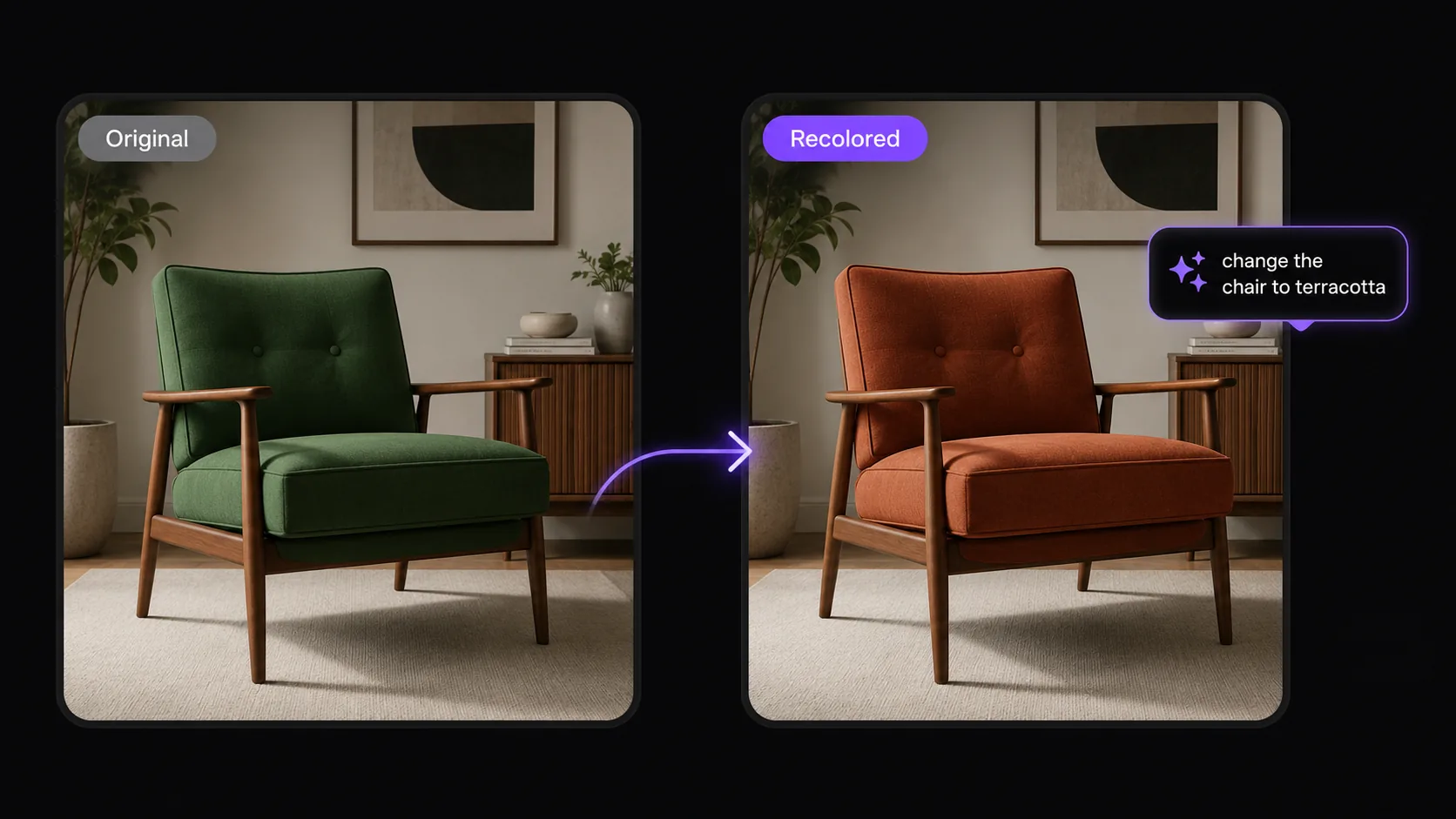
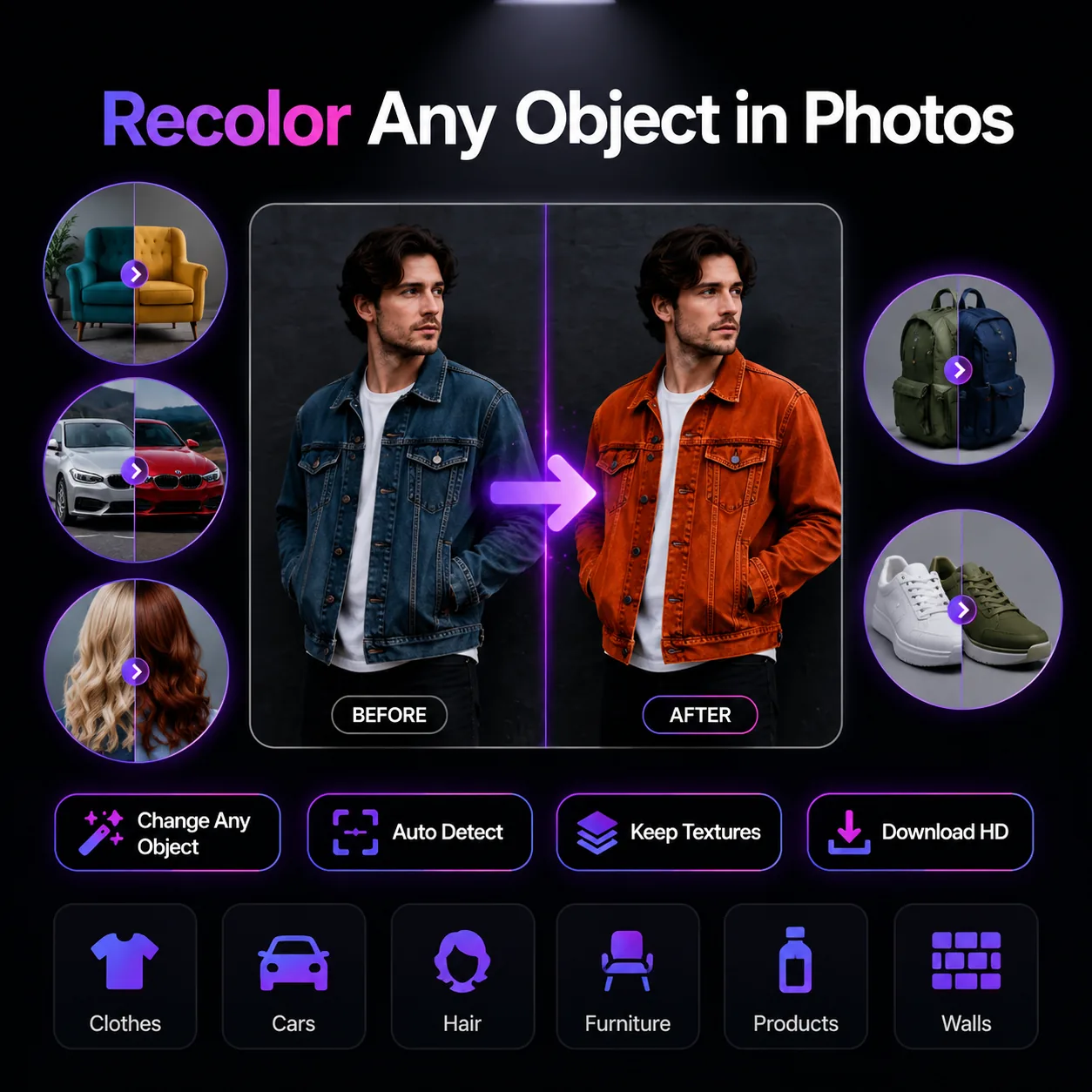
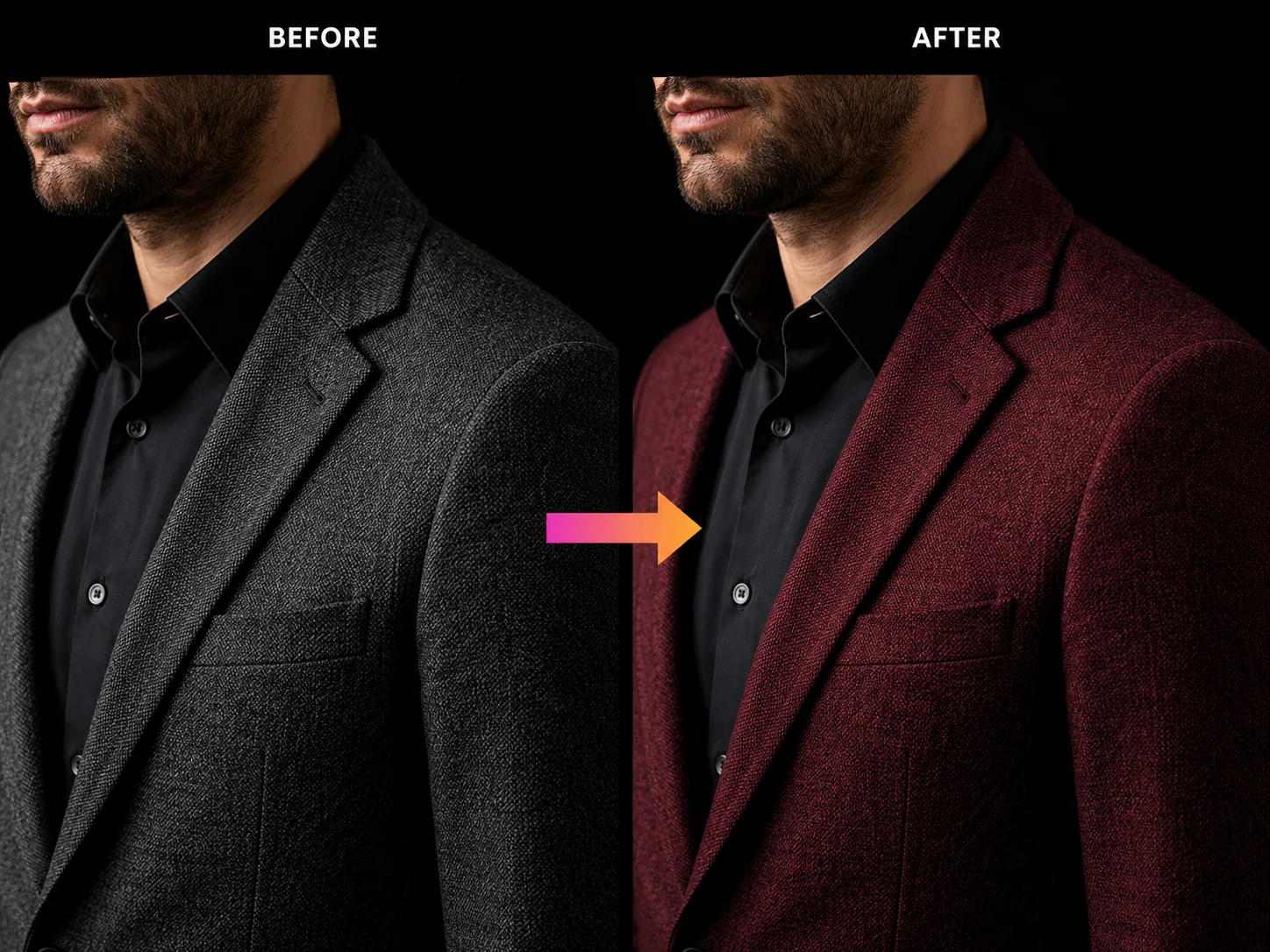
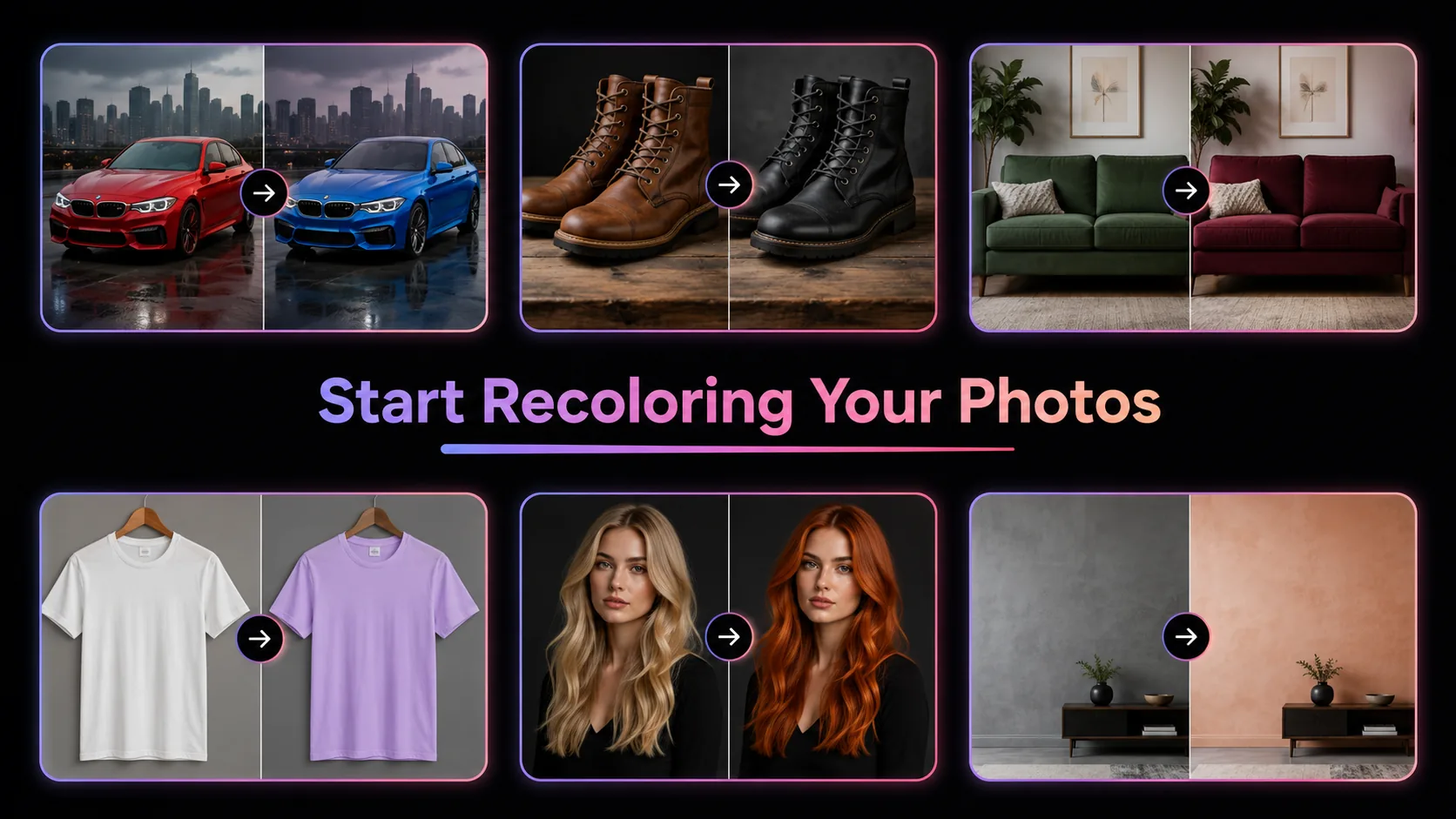
Describe the color change you want and our AI color replacer handles the rest. Change clothes color in photo, swap hair tones, recolor furniture, or update product packaging — all from a simple text prompt.
Changing a single object's color in a photo used to mean hours of manual masking in Photoshop. Our AI color replacer eliminates that entire process. Powered by GPT Image 2, this image color replacer reads your text description — like 'change the jacket to navy blue' — and intelligently identifies the target object, then recolors it while preserving every texture, shadow, and lighting detail in the original photo. The AI color replacer works across clothing, hair, cars, furniture, product packaging, walls, and backgrounds. Each photo color replacer conversion costs just 5 credits and processes in under 30 seconds. New users receive free credits to try the AI color replacer immediately. Whether you need to change product color in photo for an e-commerce listing, swap dress color in photo for a fashion lookbook, or recolor furniture color in photo for an interior design mockup, this online AI color replacer delivers photorealistic results without brush tools or layer selection.


Upload 1-16 reference images to guide the generation
Follow these three simple steps to create professional AI Color Replacer images — upload your photo, choose an AI image model, and download the finished result in HD quality.

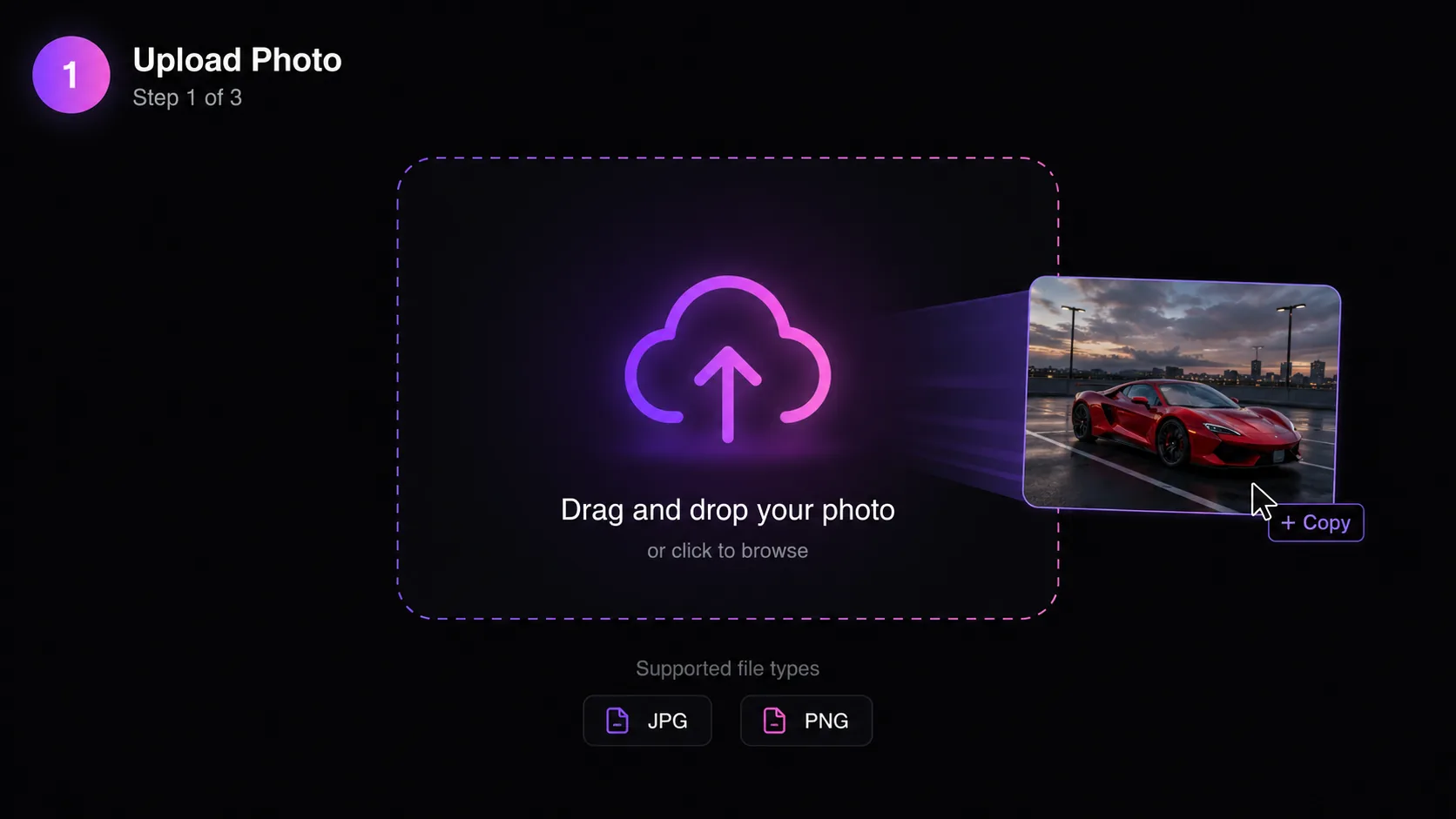
Start by uploading the photo containing the object you want to recolor. The AI color replacer accepts JPG and PNG files up to 10 MB. For best results with this image color replacer, choose photos where the target object has clear edges against a contrasting background — a red car on a gray road, a blue dress against a neutral backdrop, or brown furniture in a well-lit room. The photo color replacer handles both simple single-object images and moderately complex scenes with multiple color regions. Upload by dragging your file into the editor or clicking to browse. You can also select from our template library to experiment with the AI color replacer before uploading your own photo.
Discover what makes the AI Color Replacer AI image effect stand out — from intelligent style transfer and one-click templates to 4K output and fast generation.

Our AI color replacer identifies the exact object you describe and recolors only that region. Say 'change the curtains to burgundy' and the image color replacer isolates the curtains from the wall, furniture, and floor — then applies the new color exclusively to the fabric. GPT Image 2 powers this targeted approach, understanding spatial relationships and material boundaries that simple color filter tools miss entirely. This photo color replacer works on clothes, hair, vehicles, furniture, walls, product packaging, accessories, and backgrounds. The AI color replacer automatically preserves edges, wrinkles, and fold patterns so the recolored object looks naturally photographed in its new hue rather than digitally painted over.
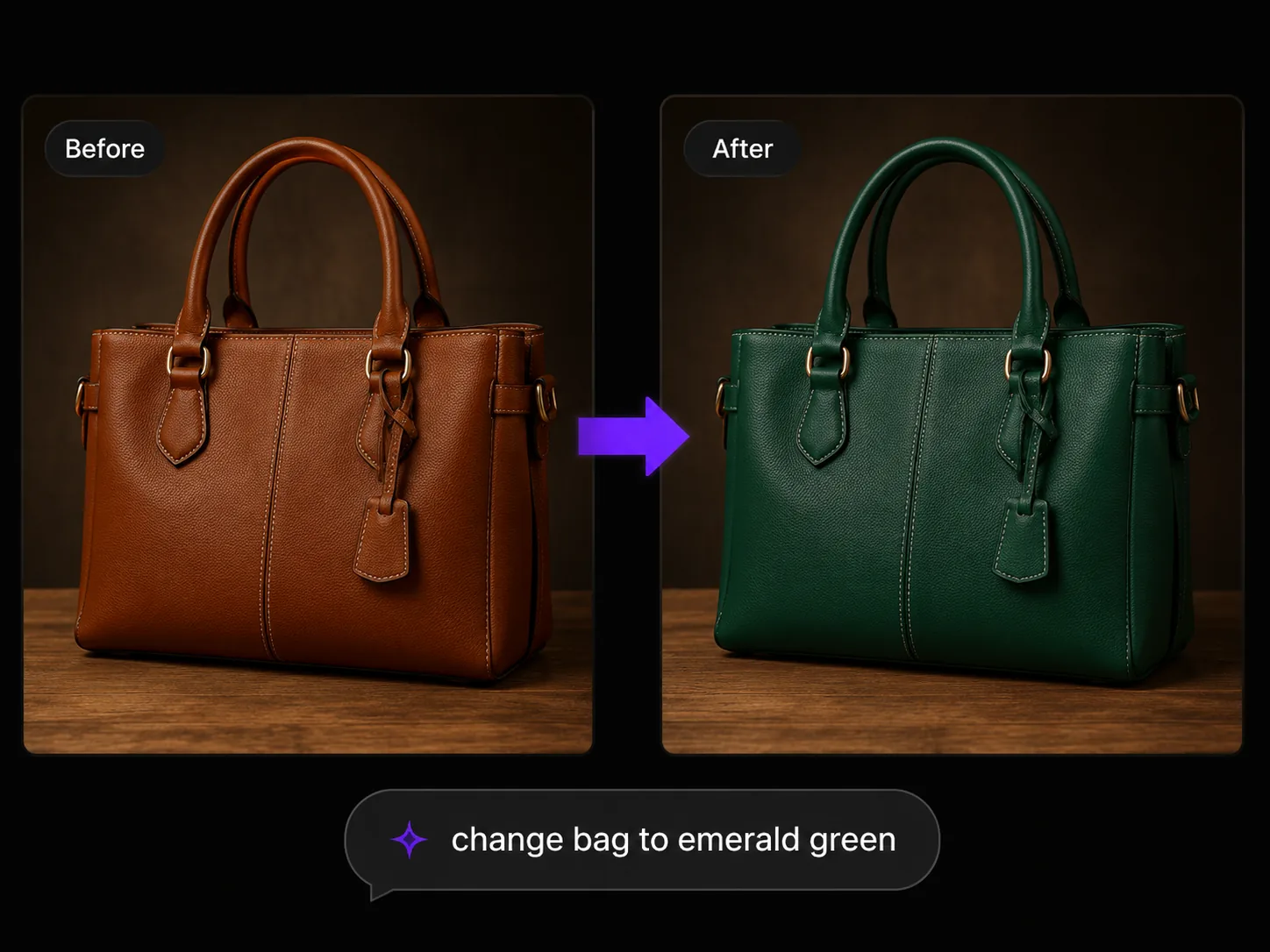
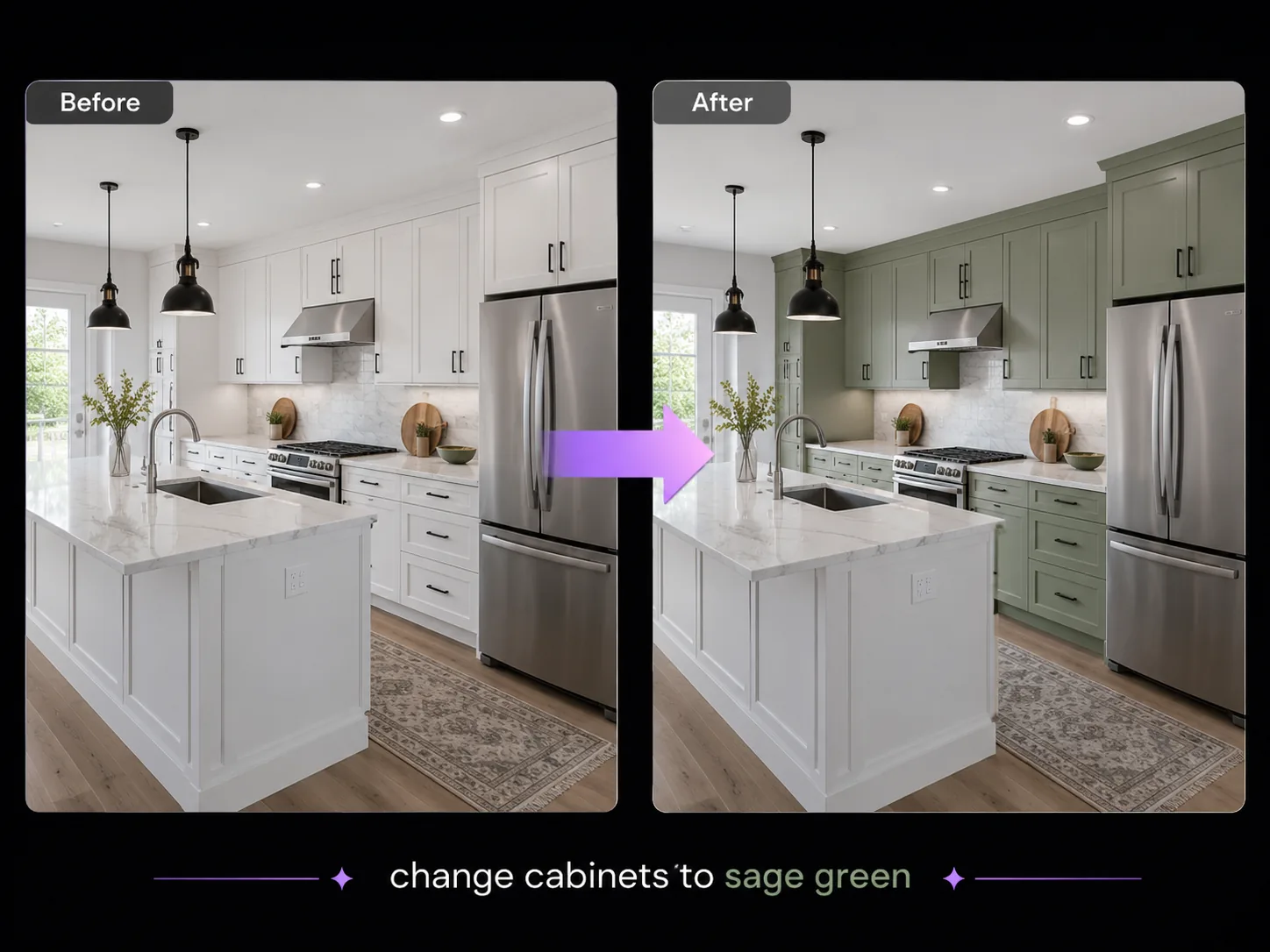
The biggest challenge when you change color in image editing is maintaining photorealism. Cheap color filter apps shift every pixel uniformly — leather loses its grain, silk loses its sheen, metal loses its reflections. Our AI color replacer re-renders the target area with full awareness of surface properties. When you change clothes color in photo, the AI color replacer keeps fabric weave, stitch patterns, and shadow depth. When you change furniture color in photo, wood grain and upholstery texture remain intact. This image color replacer understands that a navy blue leather jacket should reflect light differently than a navy blue cotton shirt — and renders both correctly.


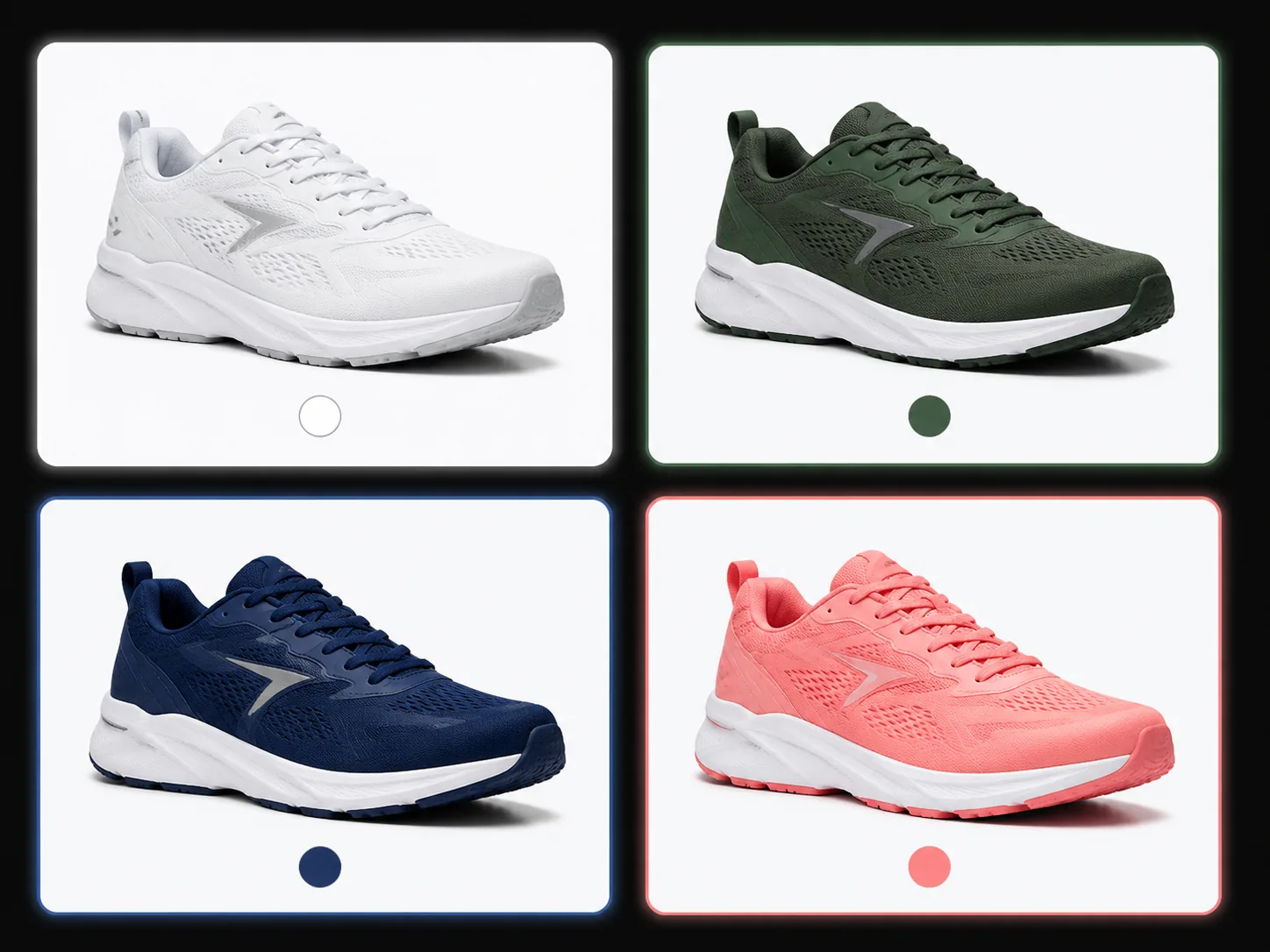
E-commerce teams shoot one product photo and need six color variants for the catalog. Our AI color replacer generates each variant from a single source image, eliminating the need for separate photo shoots per color. Change product color in photo with a prompt like 'change the sneaker to forest green' and receive a catalog-ready image in seconds. This photo color replacer maintains product proportions, stitching details, and material textures across every color variant — critical for customer trust. The image color replacer costs 5 credits per conversion, making a full 8-color lineup just 40 credits versus hundreds of dollars for reshoots. Online retailers, DTC brands, and Amazon sellers use this AI color replacer to scale their visual catalogs without scaling their photography budgets.
A multi-model AI platform with one-click AI Color Replacer templates, fast generation, and high-resolution output — built for creators who value speed and quality.
Changing one object's color in Photoshop requires creating precise selection masks, feathering edges, adjusting hue and saturation curves, and manually fixing bleed-through — a process that takes 15-45 minutes per image for a skilled editor. Our AI color replacer compresses that into a single text prompt and 30 seconds of processing. The image color replacer handles edge detection, boundary isolation, and color application automatically. No layer management, no magic wand tolerance tweaks, no pen tool paths. Brand managers, product photographers, and marketing coordinators use this photo color replacer because it delivers Photoshop-quality recoloring through a browser interface that requires zero design training.
Product photography costs $25-150 per image when factoring in studio time, equipment, and editing. Multiply that by 6 color variants and an 80-SKU catalog, and visual content becomes a six-figure line item. Our AI color replacer generates every color variant from one source photo at 5 credits each. Change product color in photo across your entire inventory — sneakers, furniture, apparel, accessories, electronics cases — using consistent lighting and angles from the original shoot. This image color replacer maintains the exact product proportions and surface detail that customers use to judge quality online. E-commerce teams typically recover the subscription cost within the first catalog update.
Quick AI utilities to enhance, generate, or transform your media — one click away.
Compare AI image generators — each with unique styles, quality levels, and creative capabilities for your projects.
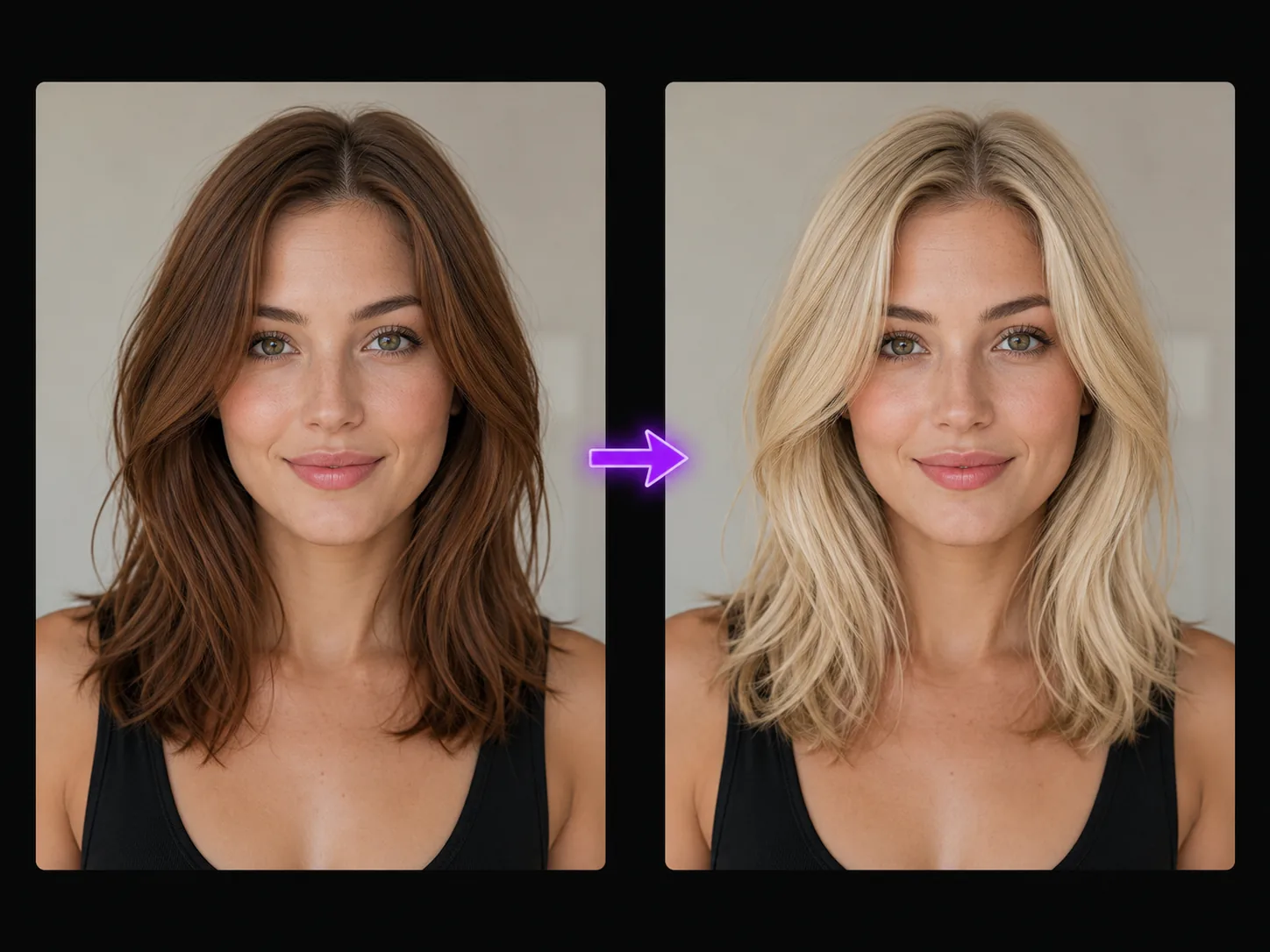
Fashion brands and content creators constantly need to visualize color alternatives. Our AI color replacer lets you change hair color in photo without touching skin tone, swap dress color in photo without altering accessories, and recolor makeup shades without affecting the model's features. The photo color replacer processes each request independently — change one element per prompt for precise control. Stylists use this image color replacer to present color options to clients before committing to dye or fabric orders. Social media managers use the AI color replacer to test which outfit color gets the highest engagement before the actual shoot. Every change color in photo conversion preserves the model's natural expression, pose, and lighting.


Most online color changer tools apply a uniform hue rotation across a selected region — they shift blue to red without understanding what the object actually is. Our AI color replacer uses GPT Image 2, a multimodal AI model that comprehends objects semantically. It knows a leather bag should have matte warmth in brown and cool sheen in black. It knows a car's metallic paint reflects sky color differently than a matte wall. This image color replacer produces results that look like the object was actually manufactured in the new color, not digitally tinted. The difference is immediately visible: no color bleeding, no flat patches, no lost highlights. Each photo color replacer conversion leverages the same AI that powers enterprise-grade image generation.
The AI color replacer preserves the complete photographic environment around your color change. Shadows adjust naturally to the new hue. Highlights shift to match expected light interaction with the new surface color. Ambient reflections update where one colored surface affects another. This photo color replacer output passes the 'would a viewer notice this was edited' test because GPT Image 2 re-renders the region holistically rather than applying a flat tint. The image color replacer works equally well on studio-lit product photos, outdoor fashion shots, interior design images, and candid social media content. Output resolution matches input quality at 1024px PNG.
Our AI color replacer runs entirely in the browser. No Photoshop license ($22.99/month), no GIMP downloads, no plugin dependencies. Upload a photo, type your color change prompt, and download the result — from any device with a browser. This image color replacer is available on desktop, tablet, and mobile. The photo color replacer processes conversions on cloud infrastructure, so your device specifications do not affect output quality or speed. New users get free credits to test the AI color replacer on their actual images before subscribing. GenMix offers a credit-based system with plans starting from $10/month.
Get answers to common questions about creating AI Color Replacer images with AI, including supported models, generation speed, photo requirements, pricing, and usage rights.
Discover how creators, marketers, and businesses use the AI Color Replacer AI image effect for social media, branding, e-commerce, and personal projects.
Transform your photos into unique AI Color Replacer images for Instagram, TikTok, X (Twitter), and Discord profiles. AI-generated image effects create memorable visual content that stands out in crowded social feeds — likes, comments, and shares all increase when you post creative, eye-catching imagery. Create multiple variations from a single photo and use the best version as your profile picture or share in stories and posts.
Produce professional AI Color Replacer marketing graphics without hiring a designer. Upload campaign visuals, team photos, or brand imagery and generate styled versions that capture attention. Marketing teams use AI image effects to rapidly prototype creative concepts — test five different visual directions in minutes and present the best options to clients with real output instead of mockups.
Apply the AI Color Replacer effect to product photos for unique e-commerce listings that convert better than generic stock imagery. Creative product imagery differentiates your brand on crowded marketplaces and social shops. Upload product shots and generate styled images that showcase items with artistic flair — replacing expensive photo shoots with AI-generated alternatives.
Turn personal photos, family portraits, and travel snapshots into memorable AI Color Replacer art. AI image effects add creative transformation to special moments — anniversaries, birthdays, and travel memories become unique keepsakes. Share styled images with friends and family, or print them as custom gifts, cards, and wall art.
Replace generic stock photos with AI Color Replacer styled visuals that hold audience attention during presentations and pitch decks. Creative visuals increase information retention compared to standard imagery. Generate AI Color Replacer images from diagrams, mockups, and headshots to create a consistent, polished visual theme across your slides.
Create engaging AI Color Replacer visual content for online communities, courses, and fan groups. Educators and community managers use AI image effects to make avatars, badges, and visual assets that build community identity. The quick generation time makes it practical to create custom visuals for every member, event, or occasion.
Real feedback from content creators, designers, and community managers using GenMix AI image effects for social media and creative projects.
“We sell the same backpack in nine colors. Before the AI color replacer, each variant needed a separate studio shoot. Now I upload one hero shot and generate all nine variants in under five minutes. The texture detail on zippers and fabric weave carries through every color — customers can not tell which was the original.”

Arjun Patel
E-commerce Product Manager

Upload a photo, pick from multiple AI image models, and generate your AI Color Replacer image in seconds — no design skills or prompt writing required. Free to start.