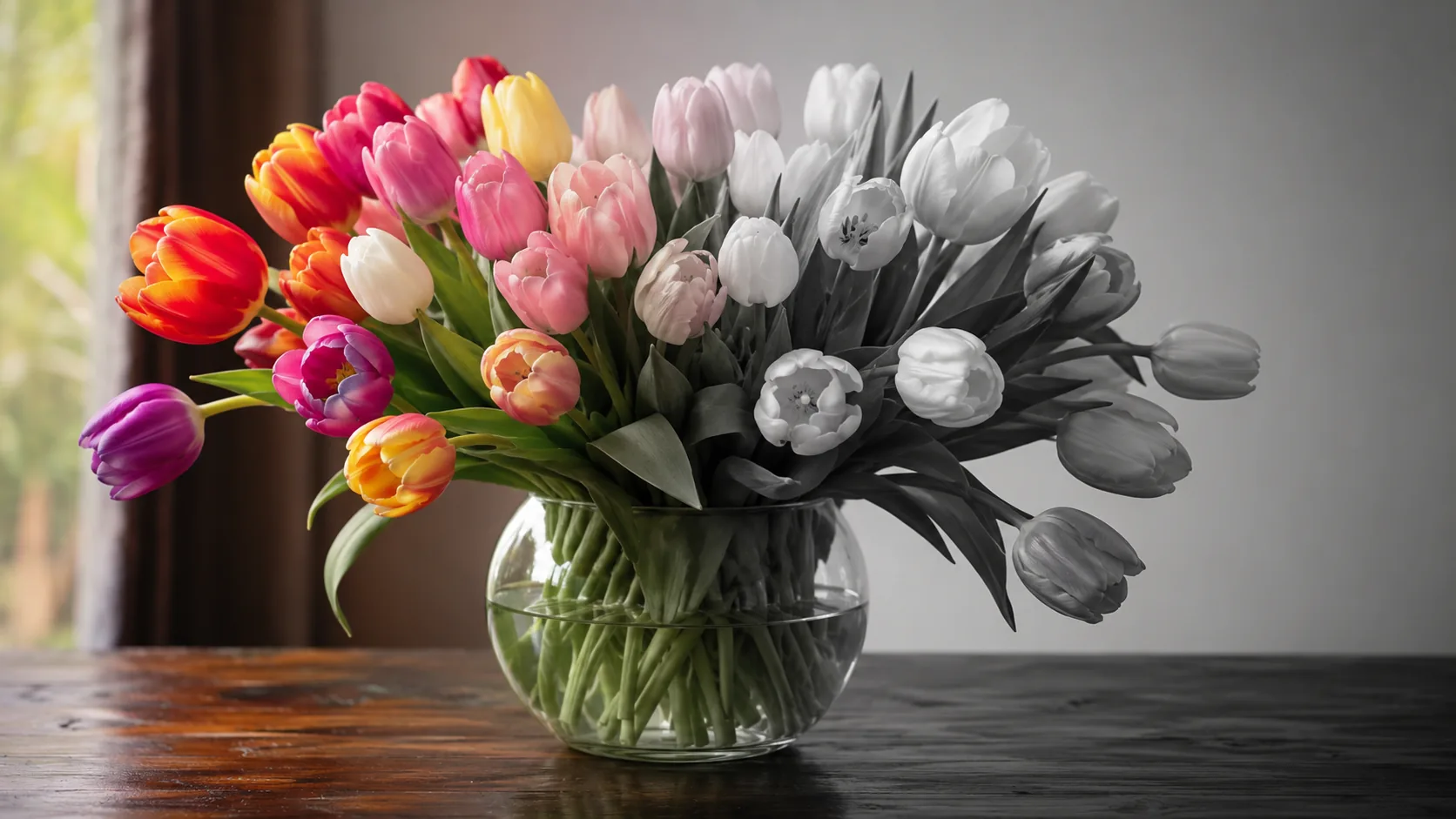
Compare AI image generators — each with unique styles, quality levels, and creative capabilities for your projects.
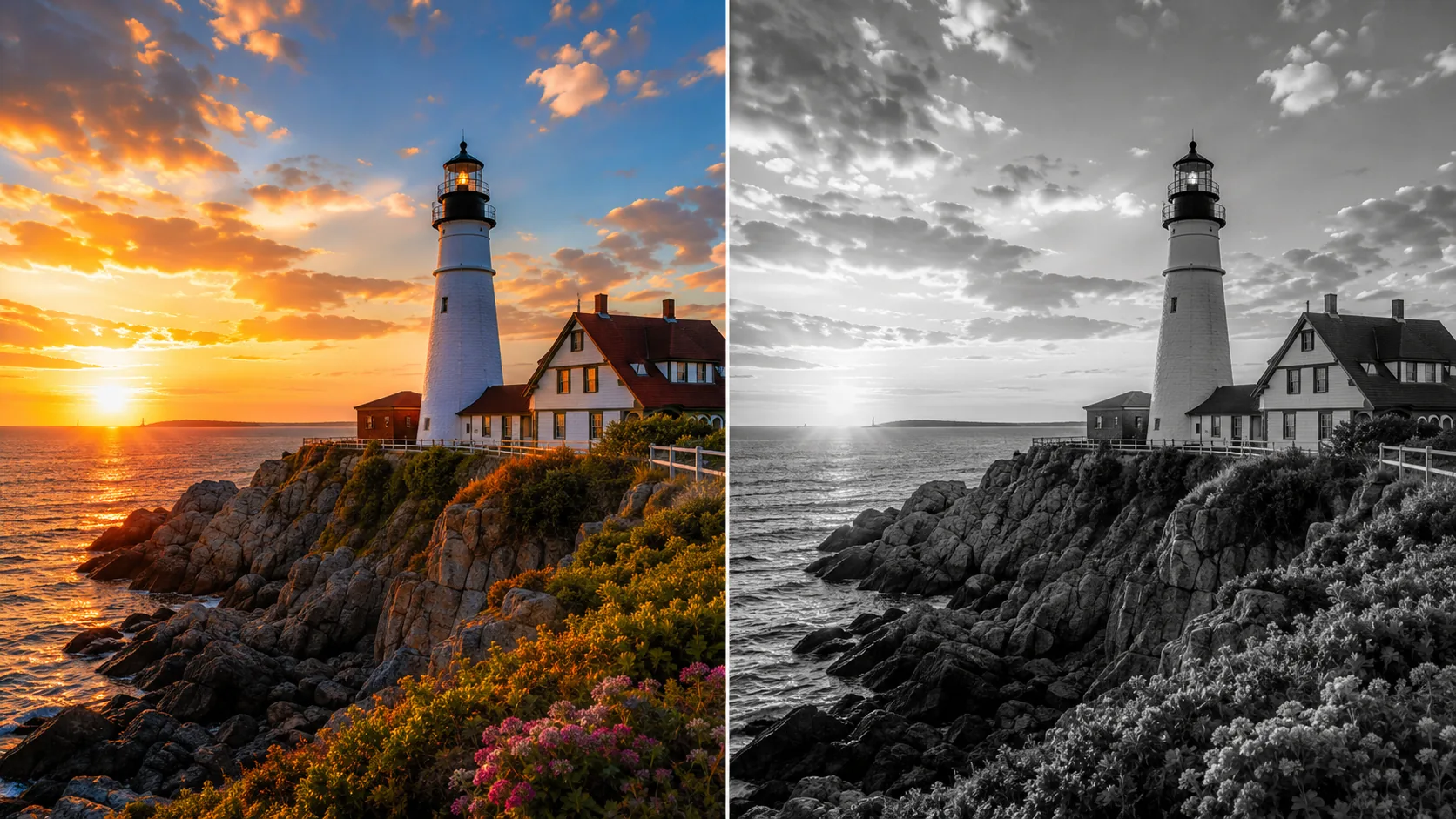
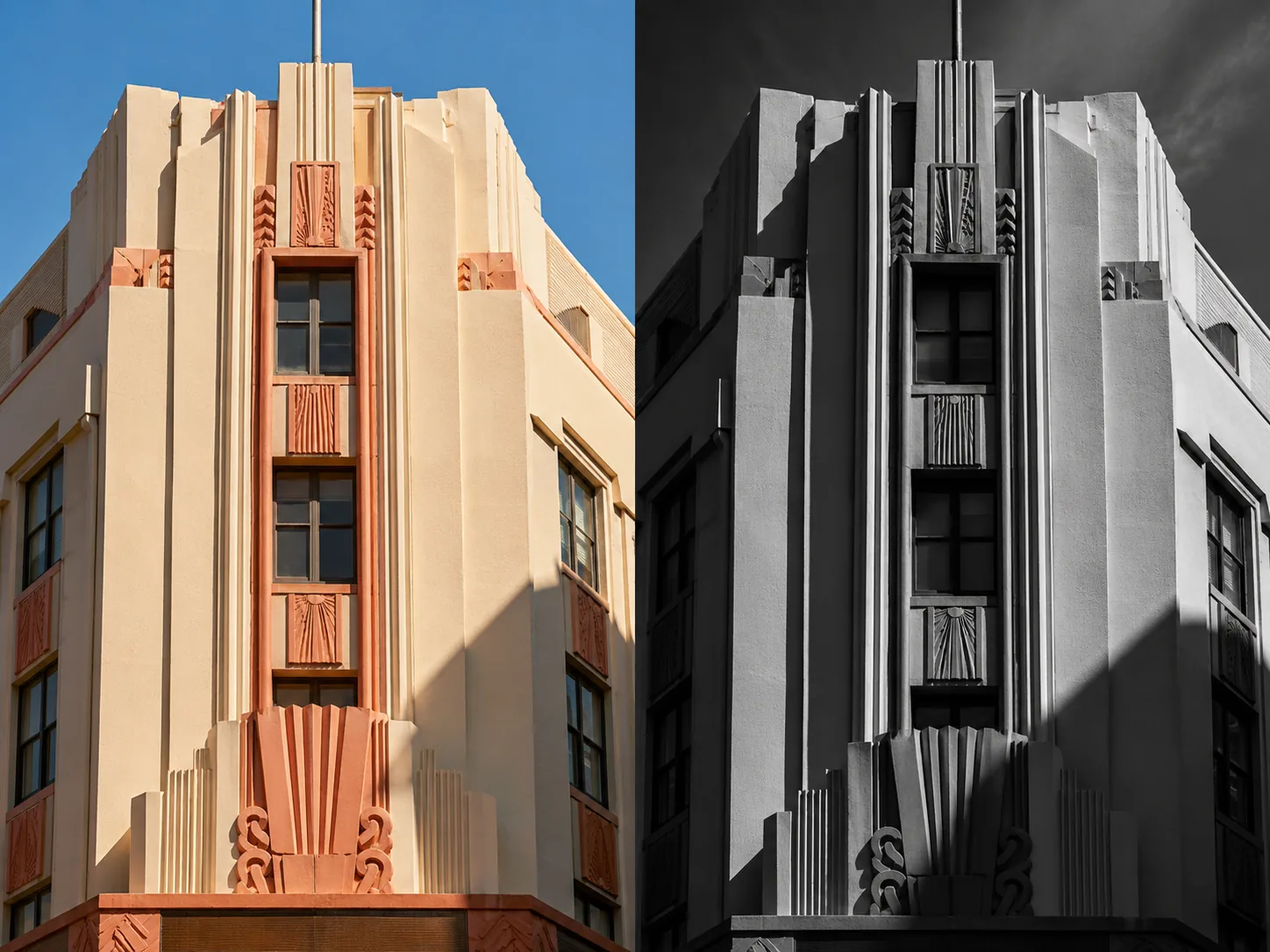
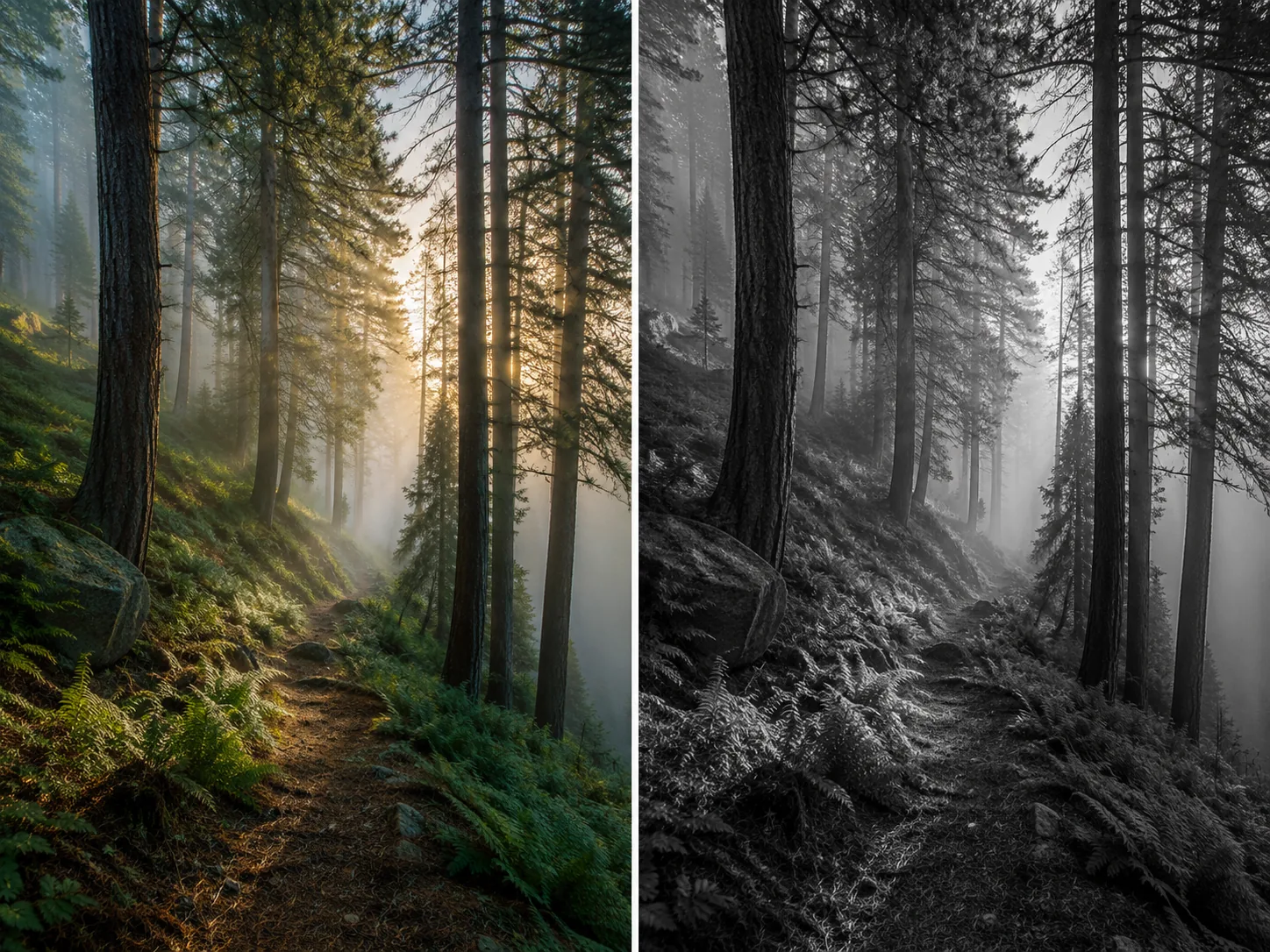
Upload your color photo and apply a black and white filter that goes beyond simple desaturation. Our AI-powered black and white filter analyzes every pixel in your image to create a monochrome photo with rich tonal depth, preserved textures, and cinematic contrast — the kind of black and white filter result that manual image editing takes hours to achieve.
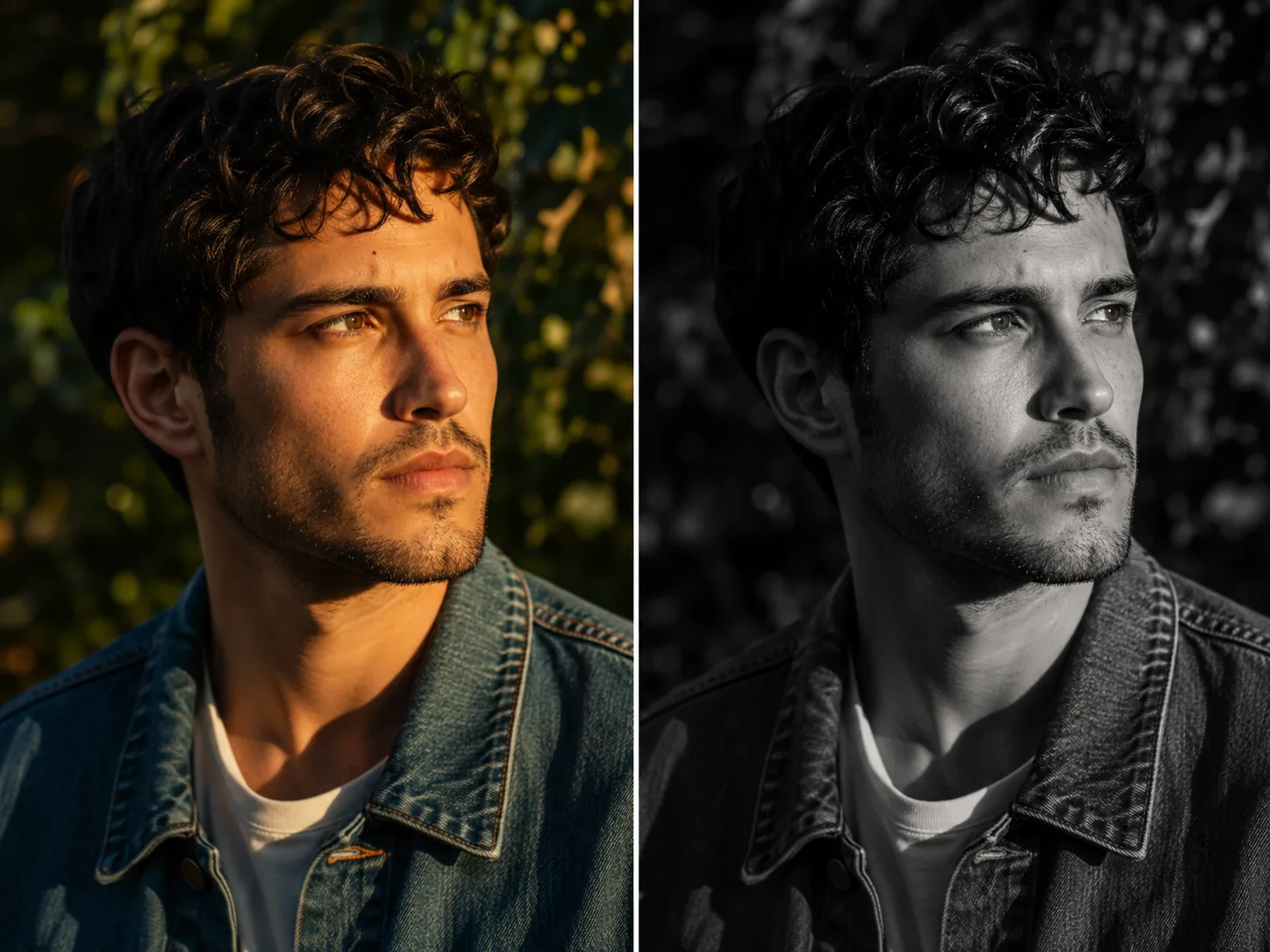
A black and white filter strips away color to reveal the raw structure of your photograph. Light, shadow, texture, and contrast become the entire story when you apply a black and white filter to any image. But most online black and white filter tools simply desaturate — they remove color channels uniformly, leaving flat gray images without tonal character. GenMix takes a fundamentally different approach to AI image processing. Powered by GPT Image 2, our AI black and white filter converts your color photo into a nuanced monochrome image where skin tones map to luminous silver, green foliage becomes deep charcoal, and blue skies transition into dramatic gradients. This black and white filter is designed to understand scene context: a portrait photo needs softer midtones while a street photograph demands harder contrast. The black and white filter can process any photo type — portraits, landscapes, product photos, architecture photos, and street scenes. Each black and white filter conversion costs 5 credits and delivers AI-enhanced results that rival hours of manual Lightroom channel mixing. Upload your photos and the black and white filter adapts automatically. New users receive free credits to apply a black and white filter to their first images and experience what AI-driven monochrome image conversion actually looks like.

Upload 1-16 reference images to guide the generation

Follow these three simple steps to create professional Black and White Filter images — upload your photo, choose an AI image model, and download the finished result in HD quality.

Start by uploading the color photo you want to convert with the black and white filter. Our AI black and white filter accepts JPG and PNG image files up to 10 MB. For the strongest black and white filter results, choose photos with clear contrast between light and dark areas — a portrait photo with directional lighting, a street photo with deep shadows, or a landscape image where clouds meet mountains. The black and white filter is effective on any photo subject, but photos with strong inherent contrast produce the most dramatic monochrome images. You can also browse our AI template gallery to preview what a black and white filter can do to different image types before uploading your own photo.
Discover what makes the Black and White Filter AI image effect stand out — from intelligent style transfer and one-click templates to 4K output and fast generation.

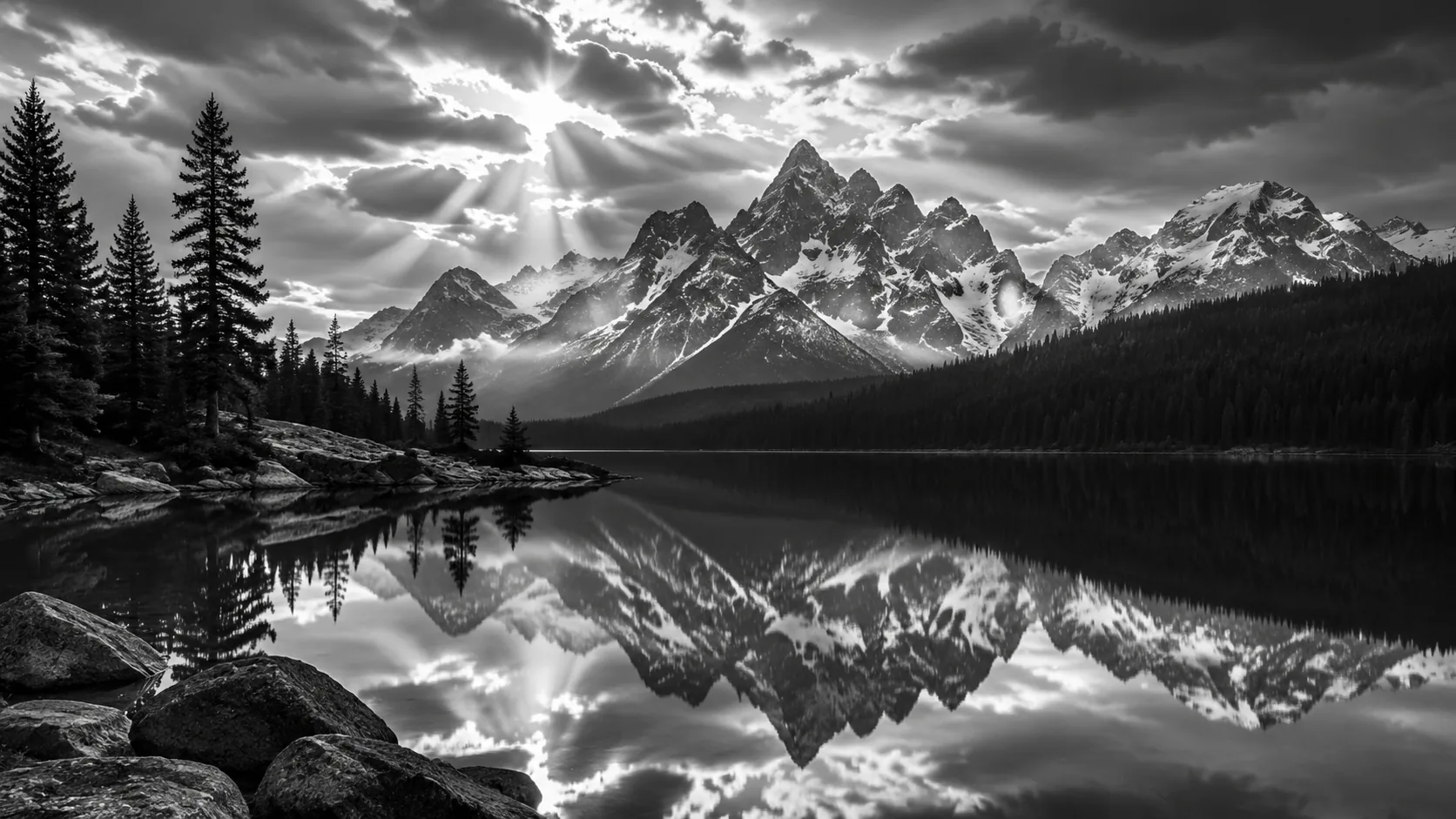
Standard desaturation removes color by averaging RGB channels — the result is a flat, lifeless gray image. Our AI black and white filter approaches image conversion differently. GPT Image 2 reads each region of your photo semantically: it recognizes skin, sky, foliage, fabric, metal, and stone, then maps each material to an optimal grayscale tone. The black and white filter is capable of producing portrait images where skin glows with natural luminance rather than looking ashen. Landscape photos receive a black and white filter treatment where clouds retain volume and mountains maintain depth separation. A black and white filter can also adjust local contrast within each image region — bringing out brick texture in architecture photos, thread detail in clothing, and water ripple patterns in reflections. Every AI black and white filter conversion is scene-aware, not just channel-math.
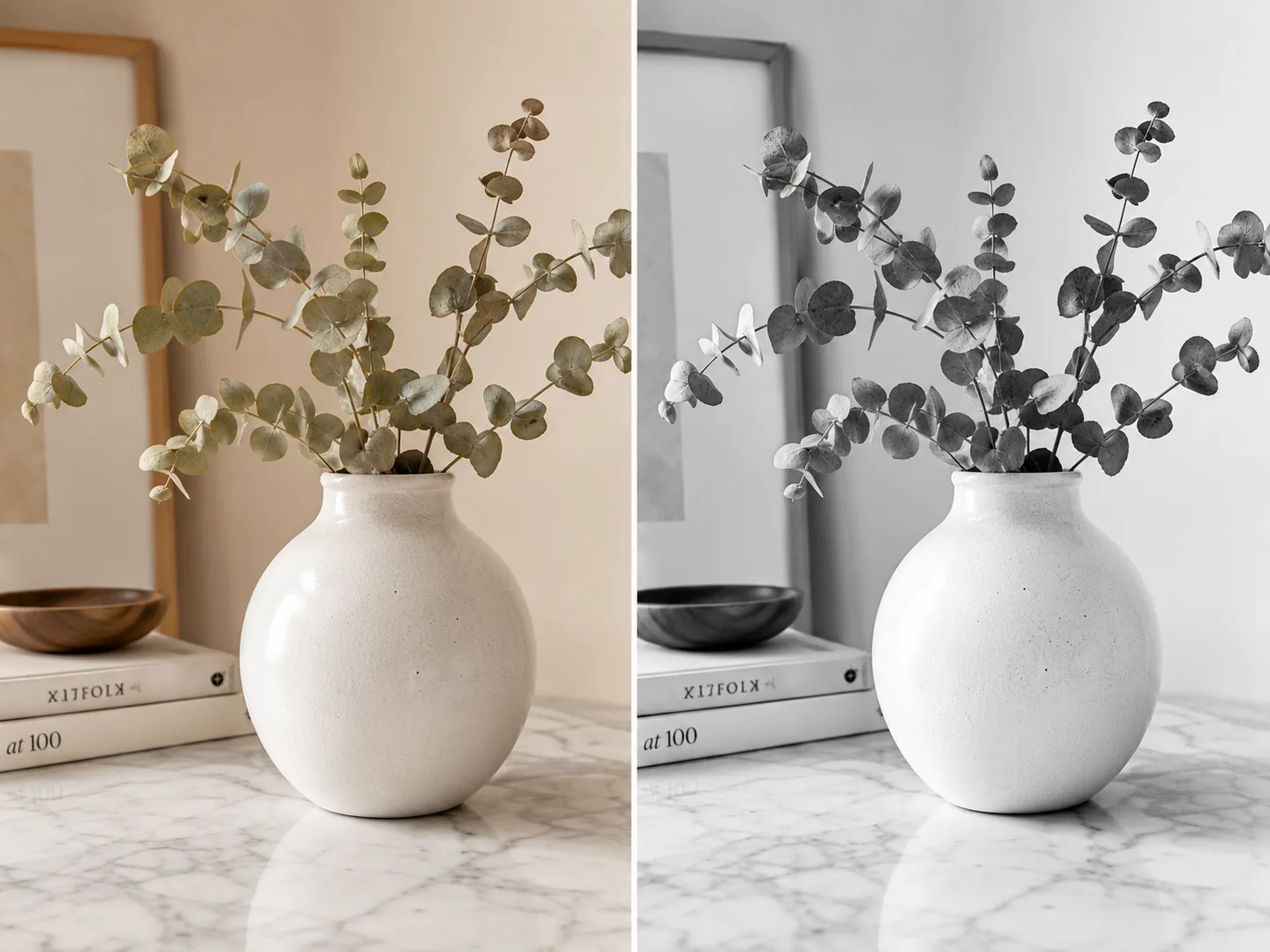
When you apply a black and white filter to an image, the greatest risk is losing texture detail in similar-toned areas. Two fabrics that look distinct in color become identical gray blobs under a basic black and white filter. Our AI black and white filter compensates by enhancing micro-contrast at surface boundaries in every photo. Leather grain stays visible against cotton weave in the image. Wet pavement separates from dry concrete. Tree bark reads distinctly from leaf surfaces. This black and white filter is especially important for product photo shoots, where the black and white filter for product images must maintain stitching detail on handbags, brushed finish on watches, and weave pattern on textiles. The AI black and white filter preserves the visual information that makes each surface recognizable even without color cues in your photos.


Portrait photographers have used a black and white filter to create timeless images for over a century. Our AI black and white filter continues that tradition with modern precision for portrait photos. The black and white filter softens skin tone transitions naturally in every image — no harsh boundaries between highlight and shadow on the face. Eyes gain luminance that draws attention in the photo. Hair texture becomes more visible as color variations translate into tonal contrast. A black and white filter can transform professional headshots, wedding photo portraits, candid street photography, and editorial fashion photos. The AI black and white filter is known for producing the kind of monochrome portrait image that looks intentional and polished rather than simply desaturated. Each portrait photo processed through this black and white filter retains the subject's personality while adding a classic, gallery-ready aesthetic.
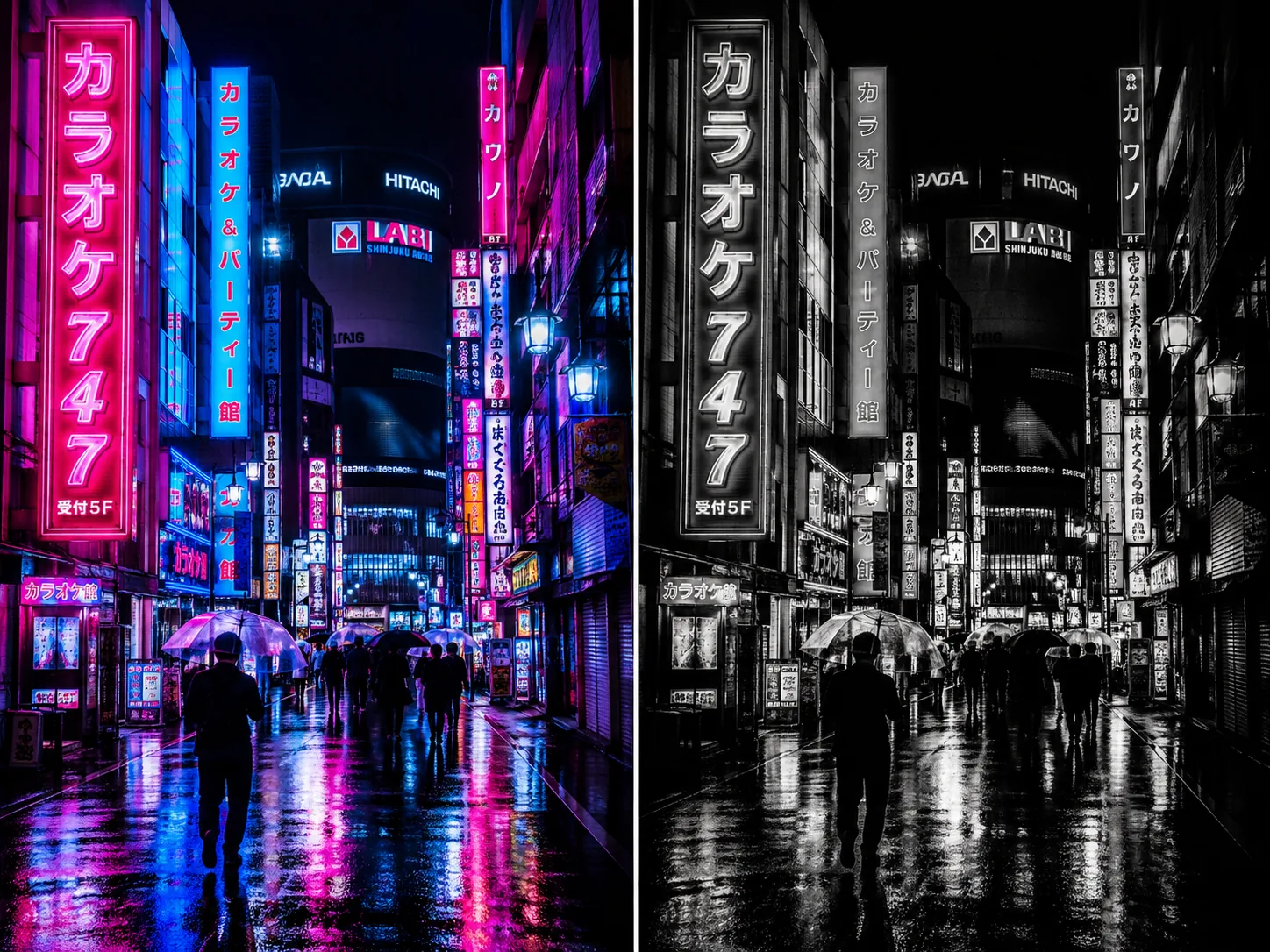
Street photography photos often benefit more from a black and white filter than any other genre. Color distractions — neon signs, car paint, pedestrian clothing — compete for attention in a busy urban image. Apply a black and white filter and the photo suddenly becomes about composition, geometry, and human gesture. Our AI black and white filter enhances this effect by increasing contrast between architectural lines and organic elements in your image. A black and white filter for street photos makes wet pavement reflections shimmer while building facades recede into rich shadow. Travel photos gain a documentary, photojournalistic quality through this AI black and white filter — the Eiffel Tower, a Tokyo crosswalk, or a Havana side street all feel more emotionally present as monochrome images. The black and white filter can transform visual storytelling by letting composition take priority over saturated tourist snapshots.


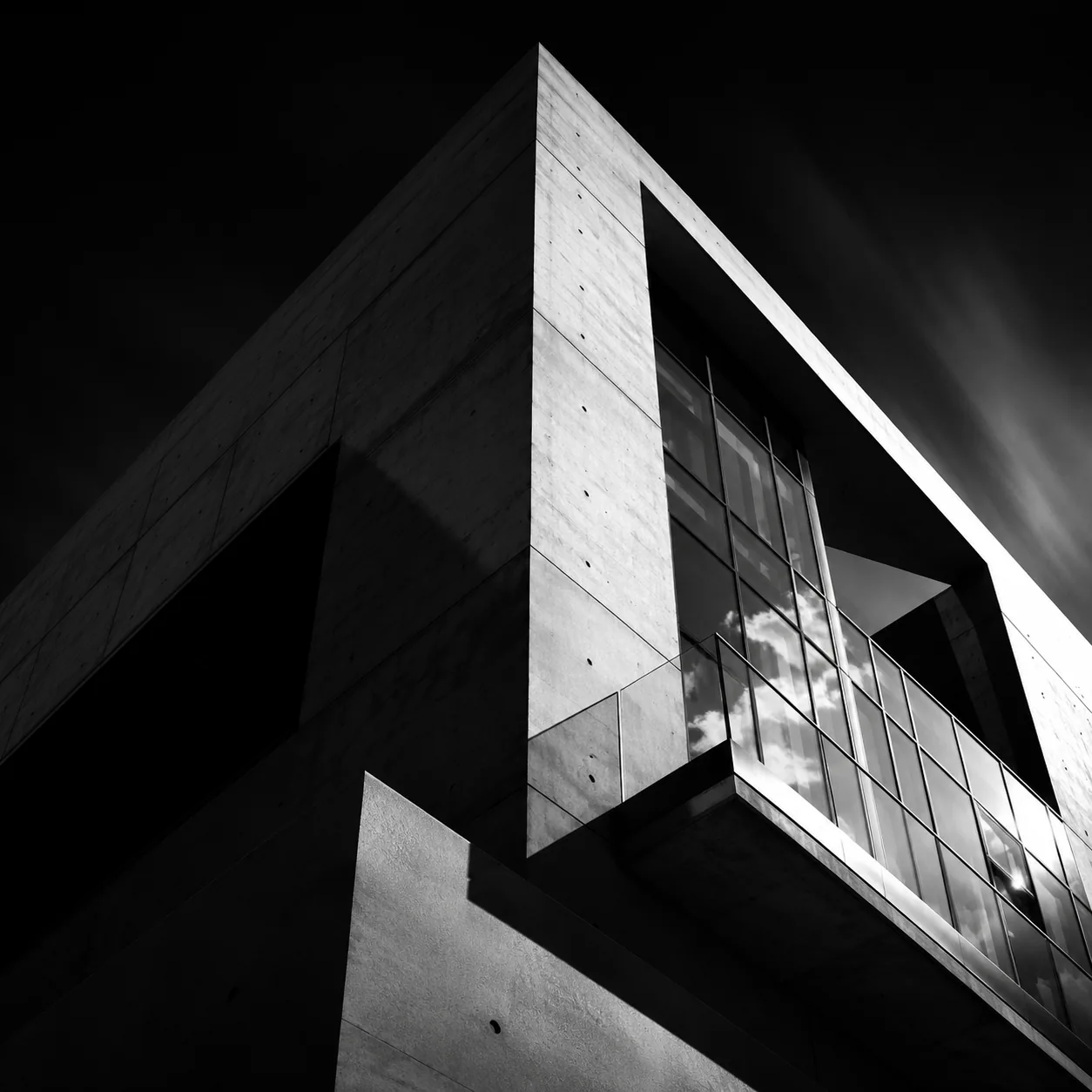
Applying a black and white filter to product photos creates a premium, editorial aesthetic that color images cannot replicate. Luxury watches, leather goods, ceramics, and jewelry gain a timeless quality through a black and white filter — the absence of color shifts focus entirely to craftsmanship, form, and material quality in every photo. Our AI black and white filter maintains the metallic sheen of hardware, the matte softness of leather, and the translucence of glass in every monochrome image conversion. For architectural photos, the black and white filter is ideal for emphasizing structural geometry. Concrete textures, steel beams, glass reflections, and shadow patterns all become the subject when a black and white filter for architecture photos removes the distraction of exterior paint colors and landscaping hues. This AI black and white filter treatment is particularly effective for real estate marketing photos, design portfolio images, and commercial print materials.
A multi-model AI platform with one-click Black and White Filter templates, fast generation, and high-resolution output — built for creators who value speed and quality.
Phone apps and free online tools offer one-click desaturation that produces identical gray results regardless of the image content. Our AI black and white filter uses GPT Image 2 to read scene context before converting any photo. A sunset image gets different tonal mapping than a portrait photo. A product photo receives different micro-contrast treatment than a forest trail image. This black and white filter adapts its conversion algorithm to what each image actually contains — producing monochrome photos that feel intentionally crafted rather than uniformly processed. The AI black and white filter difference is immediately visible: richer tonal range, separated shadow detail, and luminous highlights that make the image feel three-dimensional.
Professional black and white filter work in Lightroom or Photoshop requires adjusting individual color channel sliders, curves, split-toning settings, and local adjustment brushes — a 20-40 minute process per photo for a skilled editor. Our black and white filter reduces that to upload your photo, click, and download the image. The AI black and white filter produces results comparable to manual channel-mixed photo conversions because GPT Image 2 understands which tonal relationships matter for each image scene type. No software installation, no subscription to Adobe Creative Cloud, no learning curve. This black and white filter is accessible from any device and runs entirely in the browser. Each AI black and white filter conversion costs 5 credits per photo and processes in under 30 seconds.
One black and white filter handles portrait photos, landscape images, street scenes, product photos, architecture, food photography, and event photos. The AI black and white filter does not require separate presets or profiles per genre — it analyzes each image independently and applies the optimal monochrome conversion to every photo. This black and white filter can work equally well on studio-lit professional images and casual smartphone photos. Wedding photographers use the black and white filter for ceremony moment photos. Real estate agents apply the AI black and white filter to luxury property interior images. Food bloggers convert plated dishes through the black and white filter for editorial-style social content. The black and white filter treats each photo genre with appropriate tonal sensitivity.
The black and white filter delivers image output at 1024px PNG resolution — suitable for social media photos, web portfolios, blog headers, email marketing, and small-format print materials. Every AI black and white filter conversion retains the full detail and sharpness of your original photo upload. There are no watermarks on black and white filter image output, and all monochrome photos are commercially licensed for use in marketing, publications, social posts, and client deliverables. GenMix operates on a credit-based system where each black and white filter conversion costs 5 credits per image. New users receive free credits to test the black and white filter on their actual photos. Plans start from $10/month with no long-term commitment required.
Discover how creators, marketers, and businesses use the Black and White Filter AI image effect for social media, branding, e-commerce, and personal projects.
Transform your photos into unique Black and White Filter images for Instagram, TikTok, X (Twitter), and Discord profiles. AI-generated image effects create memorable visual content that stands out in crowded social feeds — likes, comments, and shares all increase when you post creative, eye-catching imagery. Create multiple variations from a single photo and use the best version as your profile picture or share in stories and posts.
Produce professional Black and White Filter marketing graphics without hiring a designer. Upload campaign visuals, team photos, or brand imagery and generate styled versions that capture attention. Marketing teams use AI image effects to rapidly prototype creative concepts — test five different visual directions in minutes and present the best options to clients with real output instead of mockups.
Apply the Black and White Filter effect to product photos for unique e-commerce listings that convert better than generic stock imagery. Creative product imagery differentiates your brand on crowded marketplaces and social shops. Upload product shots and generate styled images that showcase items with artistic flair — replacing expensive photo shoots with AI-generated alternatives.
Turn personal photos, family portraits, and travel snapshots into memorable Black and White Filter art. AI image effects add creative transformation to special moments — anniversaries, birthdays, and travel memories become unique keepsakes. Share styled images with friends and family, or print them as custom gifts, cards, and wall art.
Replace generic stock photos with Black and White Filter styled visuals that hold audience attention during presentations and pitch decks. Creative visuals increase information retention compared to standard imagery. Generate Black and White Filter images from diagrams, mockups, and headshots to create a consistent, polished visual theme across your slides.
Create engaging Black and White Filter visual content for online communities, courses, and fan groups. Educators and community managers use AI image effects to make avatars, badges, and visual assets that build community identity. The quick generation time makes it practical to create custom visuals for every member, event, or occasion.
Quick AI utilities to enhance, generate, or transform your media — one click away.
Real feedback from content creators, designers, and community managers using GenMix AI image effects for social media and creative projects.
“The black and white filter captures tonal transitions on skin and fabric that my Lightroom presets consistently miss. I ran a bridal portrait through it and the lace detail on the dress came through with better separation than my manual channel mix — saved me 30 minutes of slider adjustments per image.”

Priya Sharma
Wedding Photographer
Get answers to common questions about creating Black and White Filter images with AI, including supported models, generation speed, photo requirements, pricing, and usage rights.

Upload a photo, pick from multiple AI image models, and generate your Black and White Filter image in seconds — no design skills or prompt writing required. Free to start.