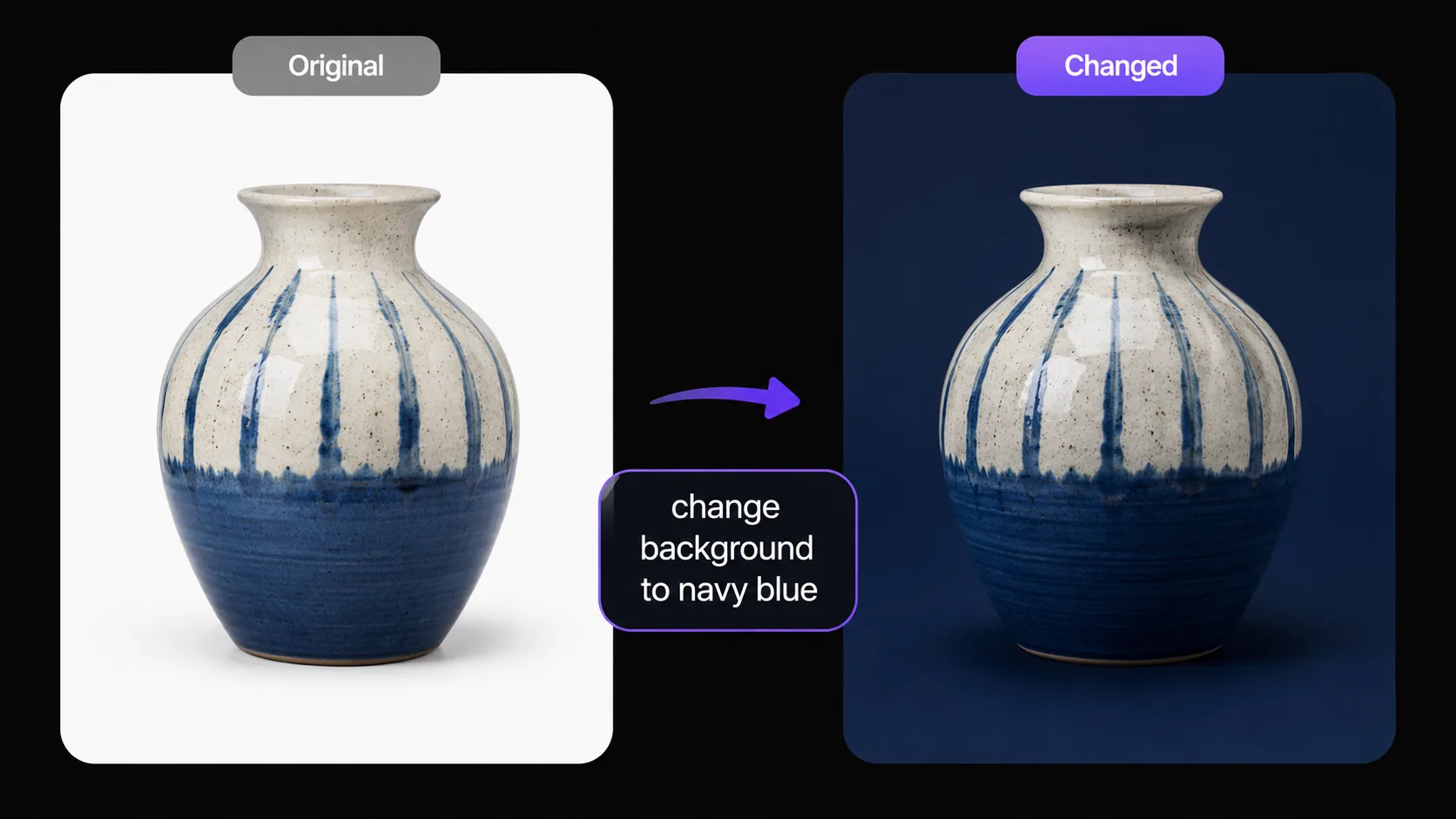
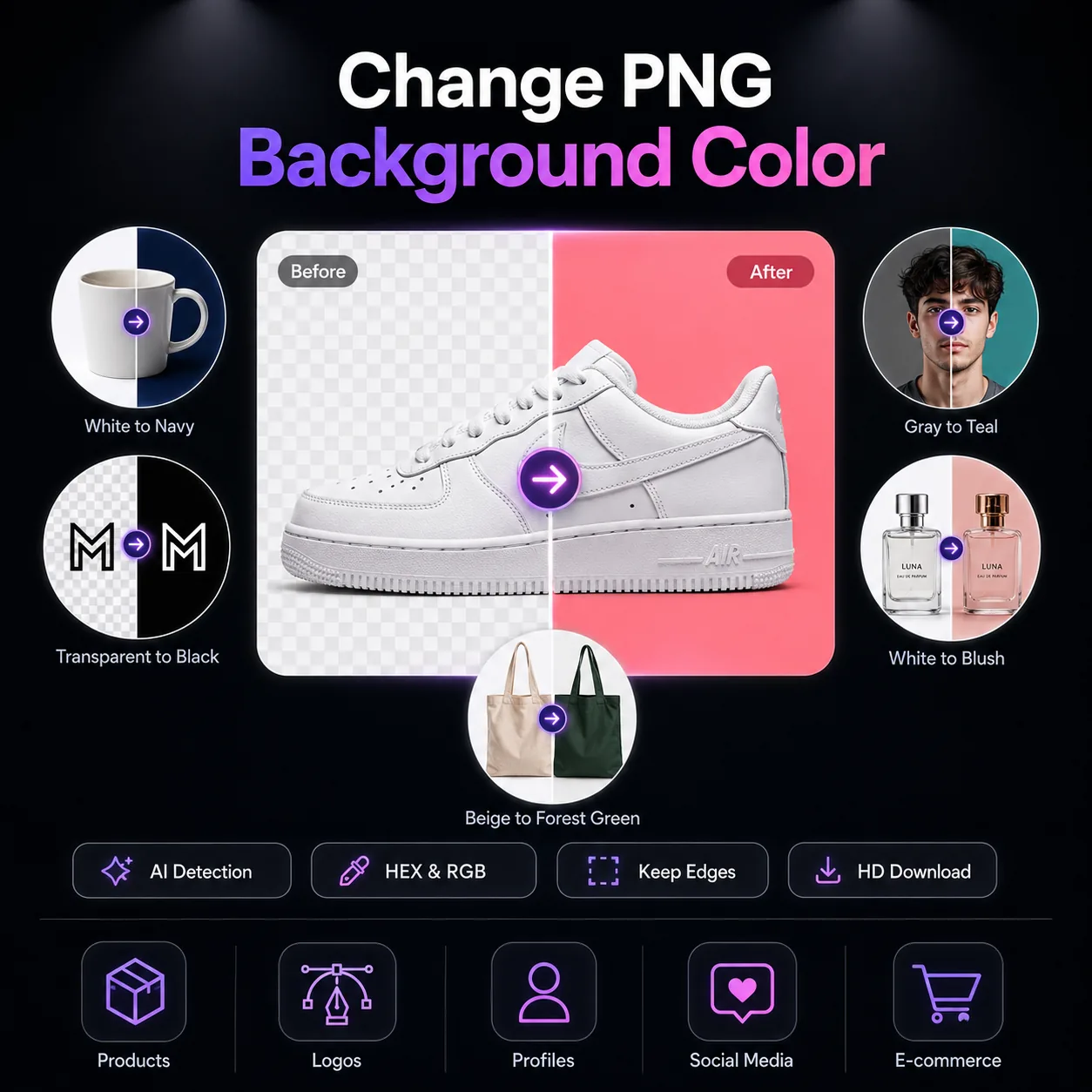
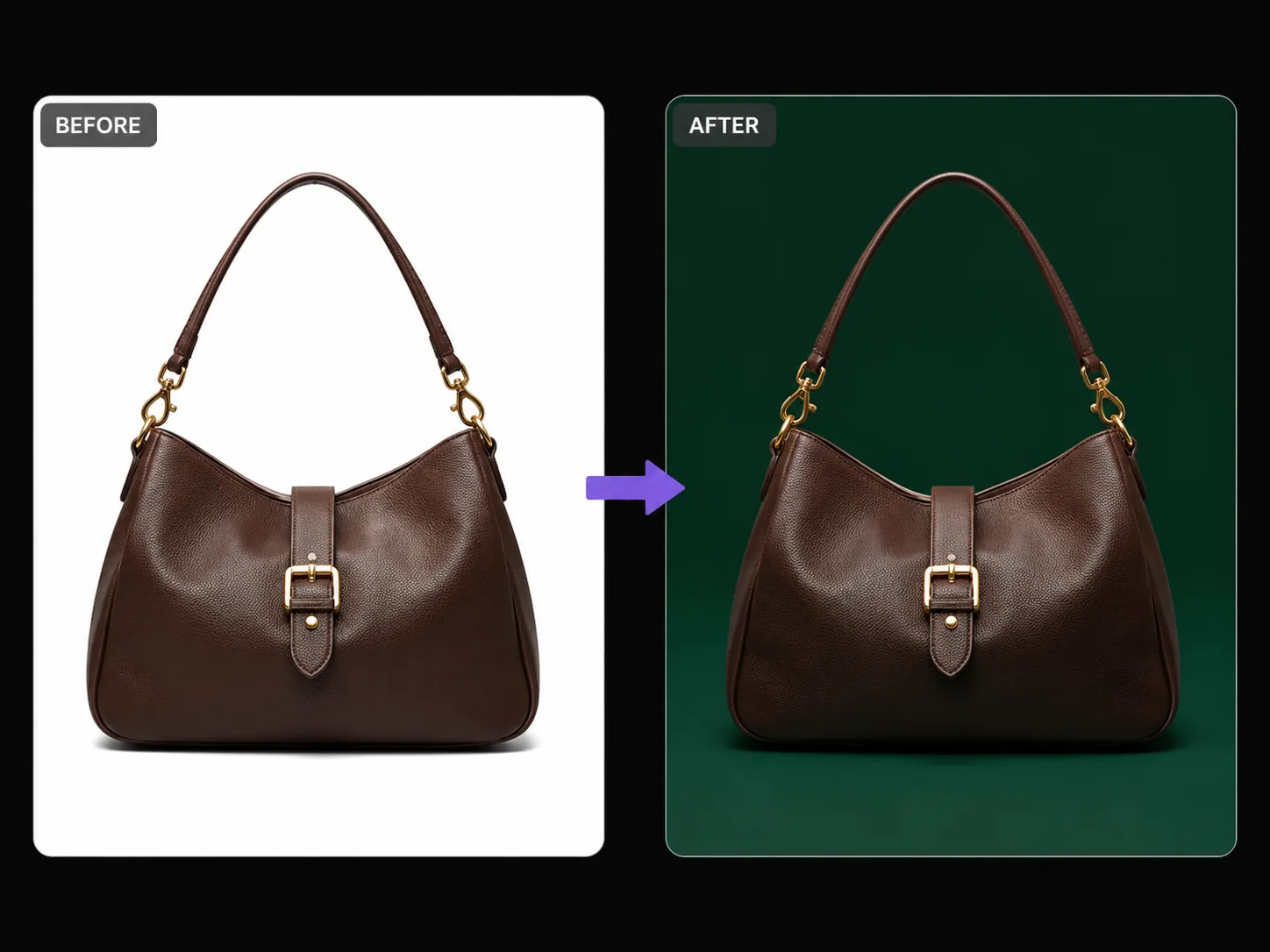
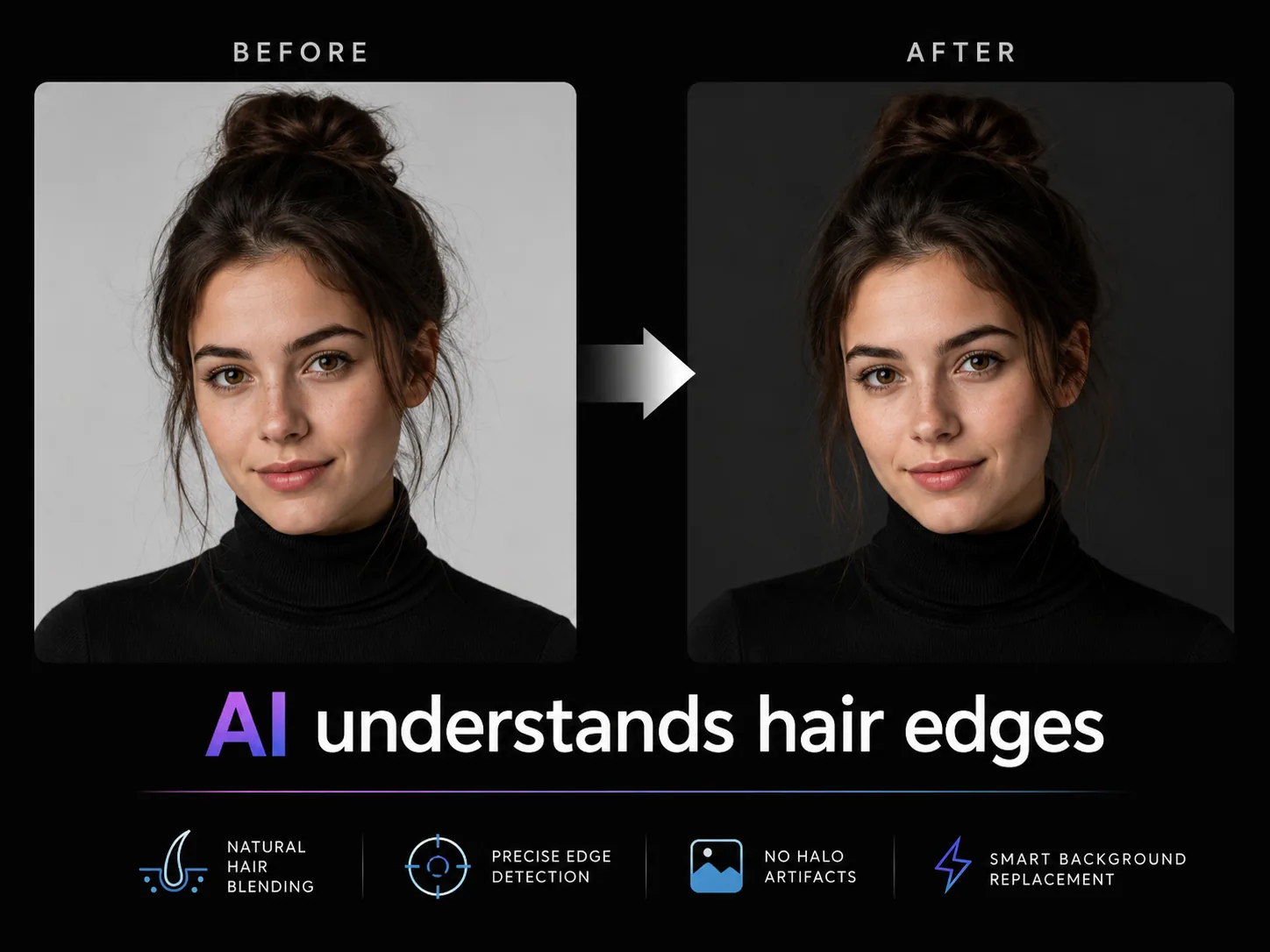
Upload your PNG image and describe the background color you need. Our AI PNG color changer replaces the background while keeping every subject detail perfectly intact — ideal for product photos, logos, profile pictures, and social media graphics.
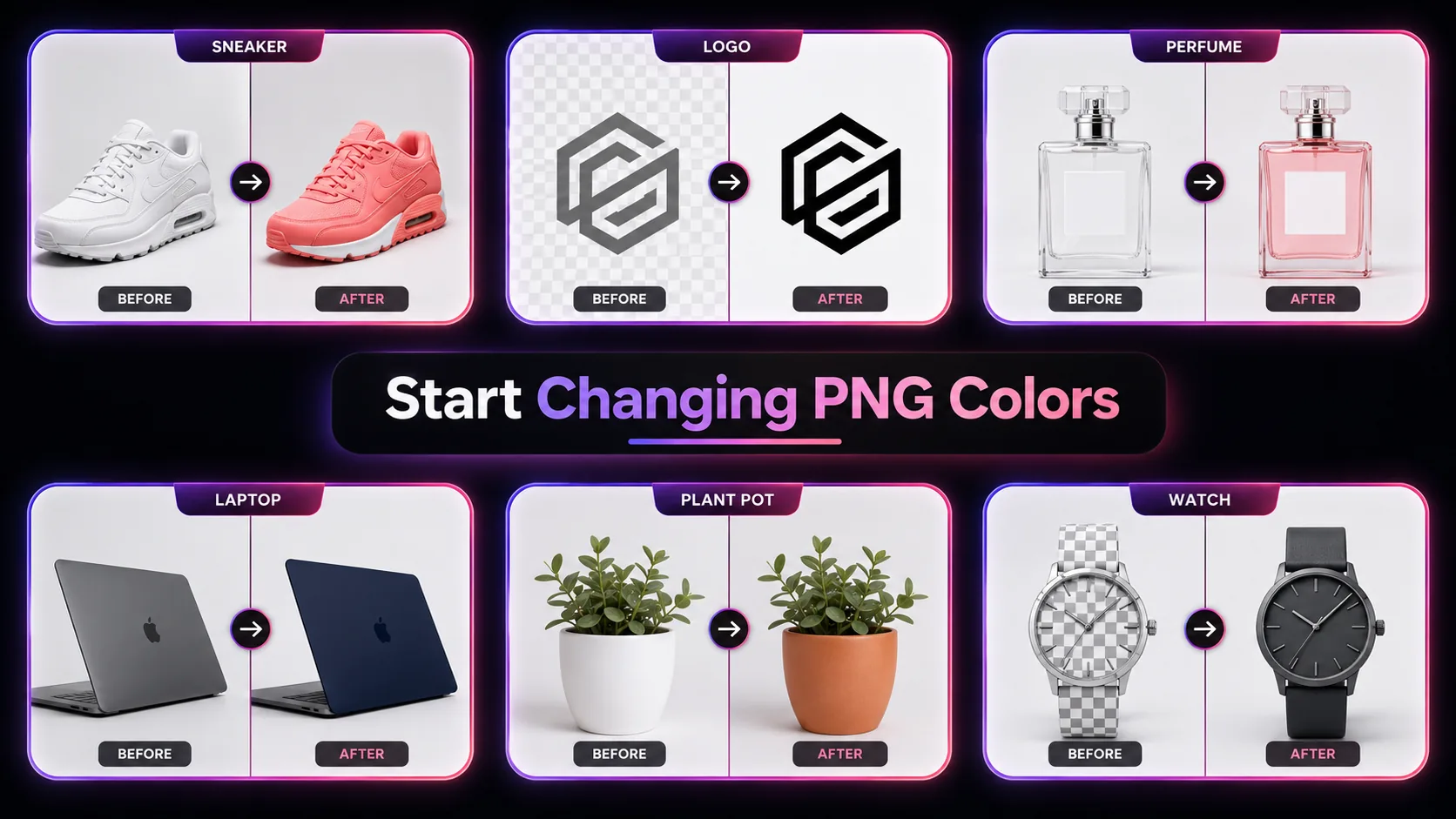
Need to change PNG color for a product listing, brand asset, or social media post? Our AI PNG color changer does it in seconds. Upload any PNG image, type the target background color — white, black, navy blue, hex code, or plain English description — and the AI automatically identifies the background region and replaces it while preserving every edge, shadow, and texture of your foreground subject. This tool to change PNG color handles transparent backgrounds, solid white backgrounds, and even complex gradient backgrounds. Powered by GPT Image 2, each PNG background color change costs just 5 credits and produces a clean, high-resolution output ready for deployment. New users receive free credits to change PNG color immediately. Whether you need to change PNG background to white for Amazon listings or change PNG background color to match your brand palette, this AI PNG color changer delivers professional results without Photoshop masks or manual cutouts.


Upload 1-16 reference images to guide the generation
Follow these three simple steps to create professional Change PNG Color images — upload your photo, choose an AI image model, and download the finished result in HD quality.

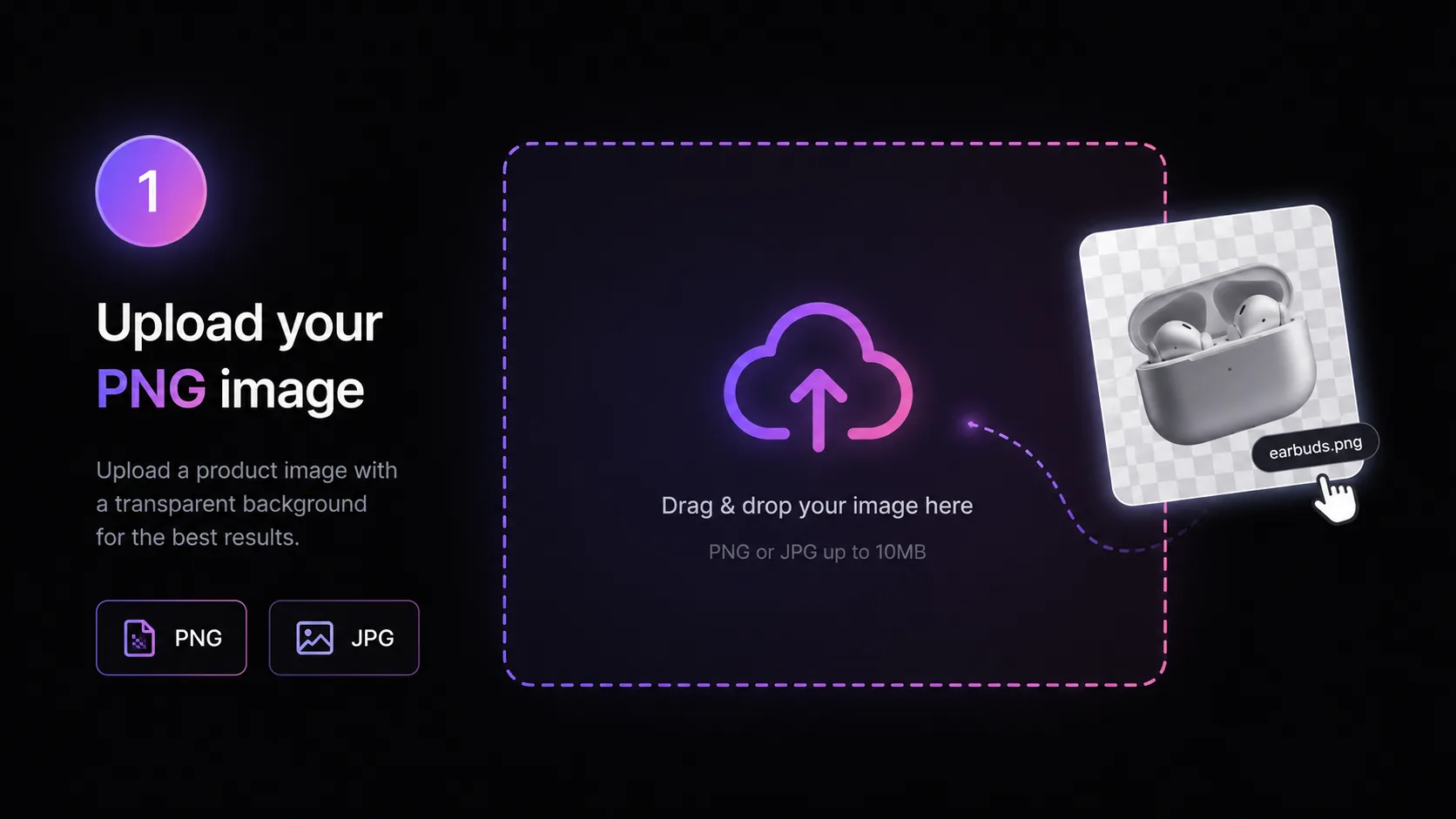
Start by uploading the PNG image you want to change the background color for. Our PNG color changer accepts JPG and PNG files up to 10 MB. The tool to change PNG color works best with images that have a clear foreground subject — product photos on white backgrounds, logos with transparent backgrounds, headshots, or icons. Upload by dragging your file into the editor or clicking to browse. You can also select from our template library to experiment with the AI PNG color changer before uploading your own images. For optimal results when you change PNG background color, ensure the subject has defined edges against the current background.
Discover what makes the Change PNG Color AI image effect stand out — from intelligent style transfer and one-click templates to 4K output and fast generation.

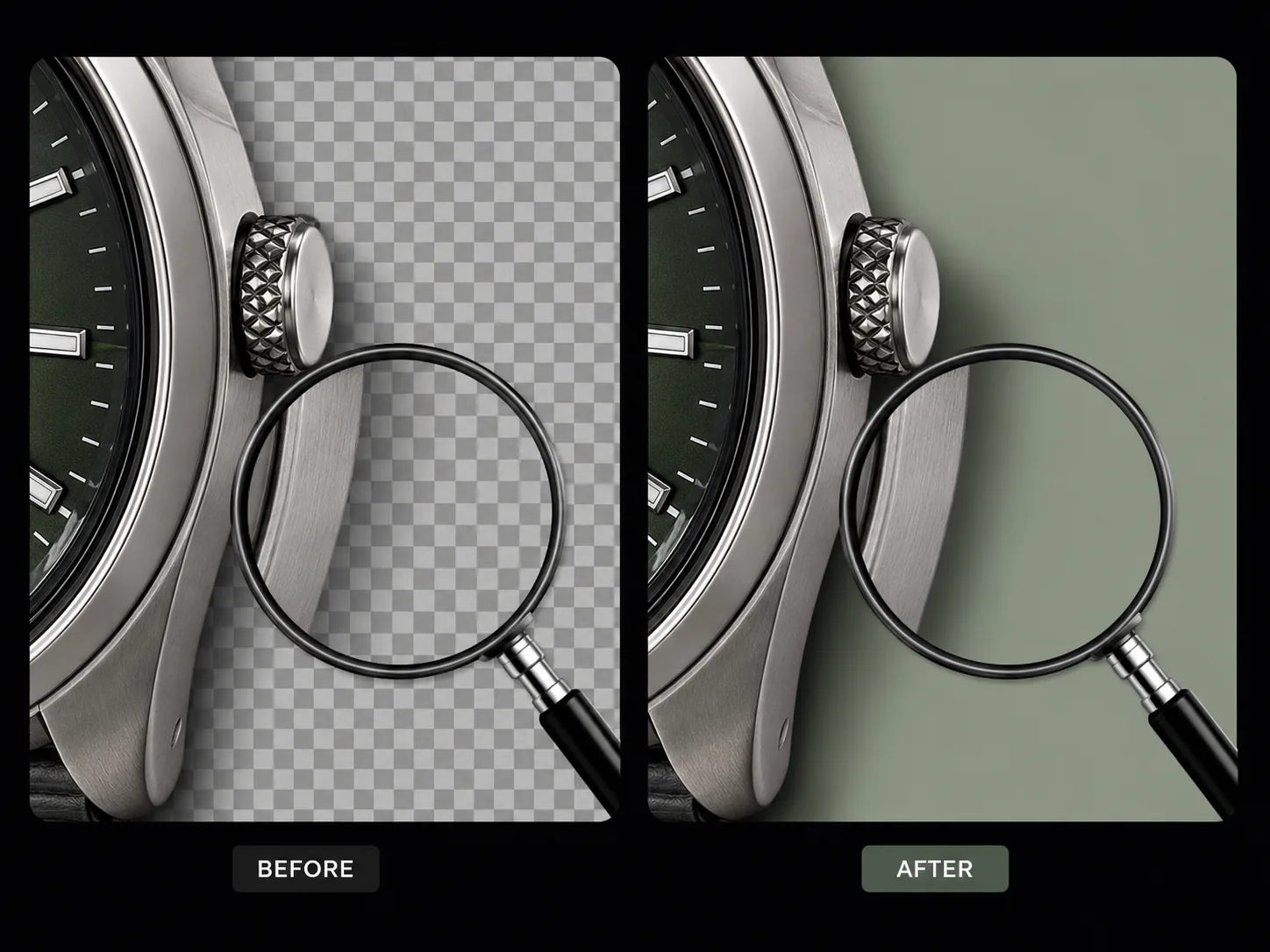
Our PNG color changer uses GPT Image 2 to automatically identify and separate the background from the foreground subject. Unlike basic color fill tools that require manual selection, the AI to change PNG color understands spatial context — it knows where the product ends and the background begins, even around complex edges like hair strands, translucent fabrics, or irregular object boundaries. When you change PNG background color, the AI preserves anti-aliasing along subject edges, preventing the harsh outlines that plague manual cutout-and-paste methods. This PNG background color changer handles transparent, white, solid, and gradient backgrounds with equal precision.
When you change PNG color, the foreground subject must remain untouched. Our AI PNG color changer locks the subject layer — facial features, product textures, logo shapes, fine typography, sticker outlines — and only modifies the background area. The tool to change PNG color preserves micro-details that matter: thread patterns on clothing, surface reflections on packaging, shadow gradients beneath products, and text sharpness on logo marks. The PNG background color changer output looks like the image was originally photographed against the new color, not digitally edited after the fact.


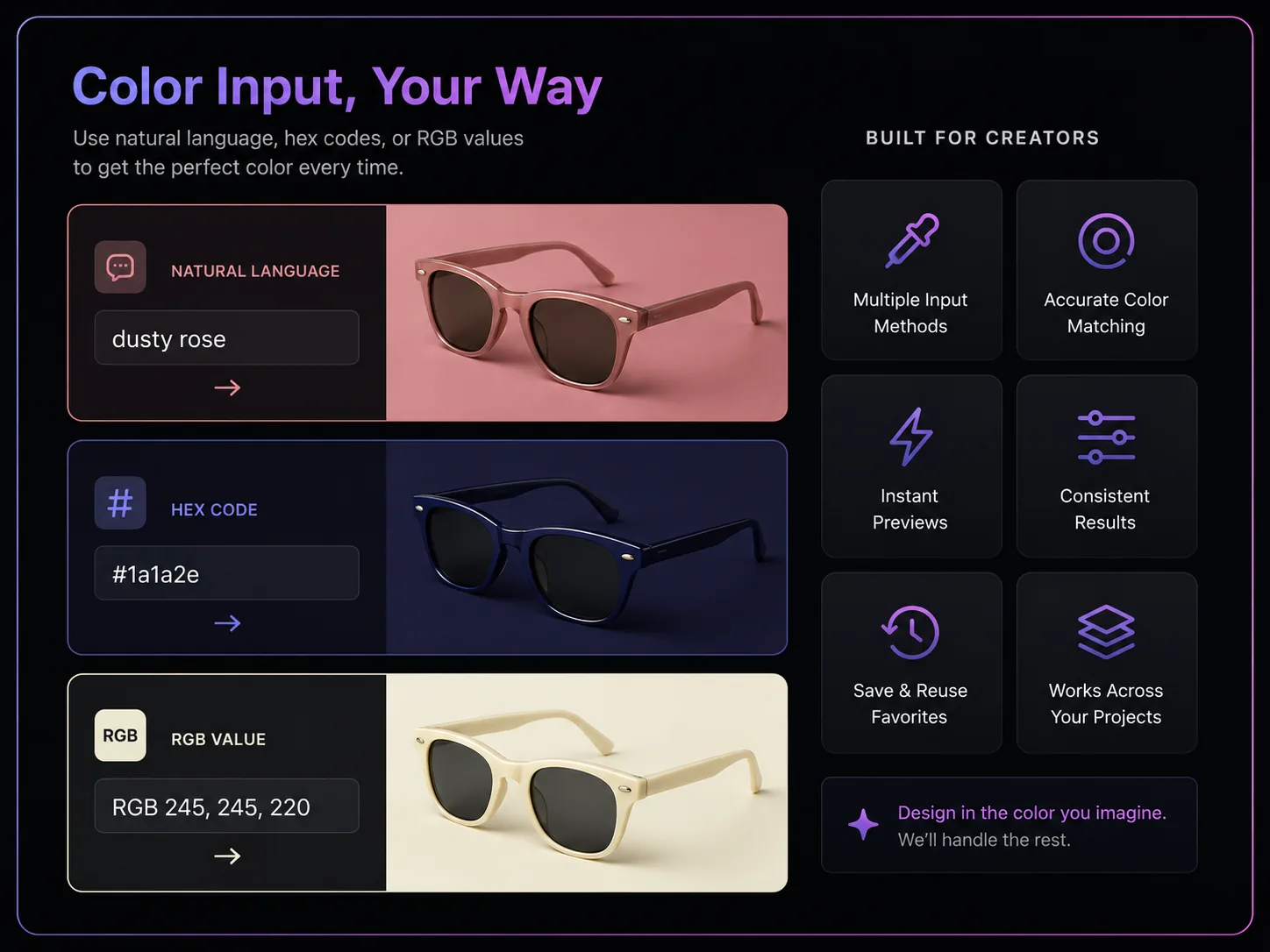
Our PNG color changer accepts color input in multiple formats. Describe what you want in plain English — 'dusty rose,' 'forest green,' 'warm gray' — and the AI interprets the description when you change PNG color. For brand-critical applications, use specific references: 'change PNG background to #1a1a2e' or 'set background to RGB 245, 245, 220.' The AI PNG color changer handles color specificity at whatever level you provide, from broad descriptions to precise values. This PNG background color changer bridges the gap between non-designers who think in color names and designers who think in hex codes.
A multi-model AI platform with one-click Change PNG Color templates, fast generation, and high-resolution output — built for creators who value speed and quality.
Removing and replacing a PNG background in Photoshop means lasso selection, layer masks, edge refining, and color fill — 10-30 minutes per image for a skilled editor. Our PNG color changer compresses that to a single text prompt and under 30 seconds of AI processing. The tool to change PNG color handles the entire pipeline: background detection, subject isolation, color application, and edge blending. When you change PNG background color through our AI, there are no layers to manage, no feathering to adjust, and no cleanup brushing needed. Marketing teams, product photographers, and freelancers use this AI PNG color changer because it delivers Photoshop-grade results through a zero-learning-curve browser interface.
Brand guidelines specify exact background colors for different contexts — corporate navy for presentations, pure white for catalogs, light gray for website cards. Our PNG background color changer lets you produce every variant from a single source image. Change PNG color to your primary brand shade, then regenerate with your secondary shade, then white for print — each output maintains identical subject quality. The AI PNG color changer ensures that when you change PNG background color across 50 product images, every single one matches the target shade consistently without the color drift that manual editing introduces.
Quick AI utilities to enhance, generate, or transform your media — one click away.
Compare AI image generators — each with unique styles, quality levels, and creative capabilities for your projects.
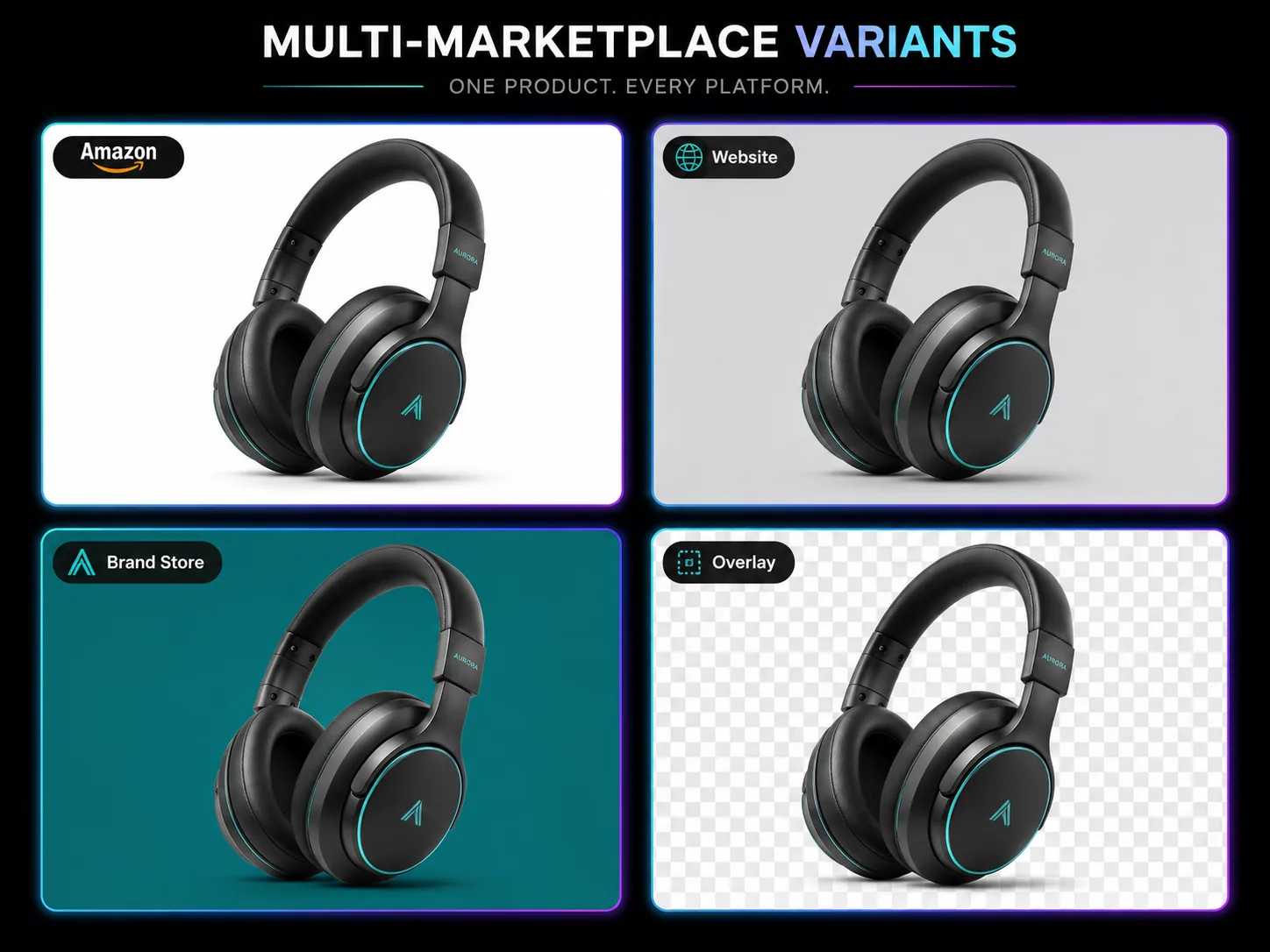
Online marketplaces demand specific background colors: Amazon requires pure white (#FFFFFF), Etsy favors lifestyle settings, brand stores match corporate palettes. Our tool to change PNG color makes compliance simple. Upload your product PNG, type 'change PNG background to white' for Amazon or describe your brand color for DTC listings, and download marketplace-ready images in seconds. The PNG color changer maintains product proportions, shadow placement, and surface detail across every background variant. E-commerce teams use this AI PNG color changer to produce 5-8 background variants per product from a single source photo — a workflow that replaces hours of manual Photoshop masking per SKU.


Basic online tools apply a flat color bucket to selected regions, leaving halos and rough edges where the subject meets the background. Our PNG background color changer uses GPT Image 2, a multimodal AI that comprehends the image semantically. It understands that hair should have soft transparency at the edges, that glass objects transmit background color, and that shadows need to blend naturally into the new background. When you change PNG color through our AI PNG color changer, the result handles these nuances automatically. No tolerance adjustments, no edge refinement sliders, no manual touchup — the AI produces clean transitions that look photographically natural.
Different sales channels require different background standards. Our tool to change PNG color lets you generate marketplace-specific variants from one product shot. Change PNG background to white for Amazon compliance, soft gray for your Shopify store, transparent for overlay use, and brand blue for Instagram catalog — all from the same source PNG. The PNG color changer processes each variant for 5 credits, making a full marketplace suite under 25 credits. This PNG background color changer approach eliminates the reshooting workflow that traditional product photography demands.
Our AI PNG color changer runs entirely in the browser. No Photoshop subscription, no GIMP downloads, no plugin dependencies. Upload, describe your target color, and download — from any device. The tool to change PNG color processes everything on cloud infrastructure, so device specifications do not affect output quality. When you change PNG background color, results are ready in under 30 seconds regardless of your hardware. New users receive free credits to test the PNG color changer on their actual images before subscribing. GenMix offers a credit-based system with plans starting from $10/month.
Get answers to common questions about creating Change PNG Color images with AI, including supported models, generation speed, photo requirements, pricing, and usage rights.
Discover how creators, marketers, and businesses use the Change PNG Color AI image effect for social media, branding, e-commerce, and personal projects.
Transform your photos into unique Change PNG Color images for Instagram, TikTok, X (Twitter), and Discord profiles. AI-generated image effects create memorable visual content that stands out in crowded social feeds — likes, comments, and shares all increase when you post creative, eye-catching imagery. Create multiple variations from a single photo and use the best version as your profile picture or share in stories and posts.
Produce professional Change PNG Color marketing graphics without hiring a designer. Upload campaign visuals, team photos, or brand imagery and generate styled versions that capture attention. Marketing teams use AI image effects to rapidly prototype creative concepts — test five different visual directions in minutes and present the best options to clients with real output instead of mockups.
Apply the Change PNG Color effect to product photos for unique e-commerce listings that convert better than generic stock imagery. Creative product imagery differentiates your brand on crowded marketplaces and social shops. Upload product shots and generate styled images that showcase items with artistic flair — replacing expensive photo shoots with AI-generated alternatives.
Turn personal photos, family portraits, and travel snapshots into memorable Change PNG Color art. AI image effects add creative transformation to special moments — anniversaries, birthdays, and travel memories become unique keepsakes. Share styled images with friends and family, or print them as custom gifts, cards, and wall art.
Replace generic stock photos with Change PNG Color styled visuals that hold audience attention during presentations and pitch decks. Creative visuals increase information retention compared to standard imagery. Generate Change PNG Color images from diagrams, mockups, and headshots to create a consistent, polished visual theme across your slides.
Create engaging Change PNG Color visual content for online communities, courses, and fan groups. Educators and community managers use AI image effects to make avatars, badges, and visual assets that build community identity. The quick generation time makes it practical to create custom visuals for every member, event, or occasion.
Real feedback from content creators, designers, and community managers using GenMix AI image effects for social media and creative projects.
“Amazon requires pure white backgrounds and rejects anything off-shade. The PNG color changer gives me perfect #FFFFFF backgrounds on every product image. I process my entire new inventory — usually 30-40 SKUs — in one sitting instead of sending batches to a photo editor and waiting three days for returns.”

Olivia Hayes
Amazon FBA Seller

Upload a photo, pick from multiple AI image models, and generate your Change PNG Color image in seconds — no design skills or prompt writing required. Free to start.